

Why Neat Is the Best Express Install in 3 Easy Steps
Graham Walsh, Jan 29, 2026
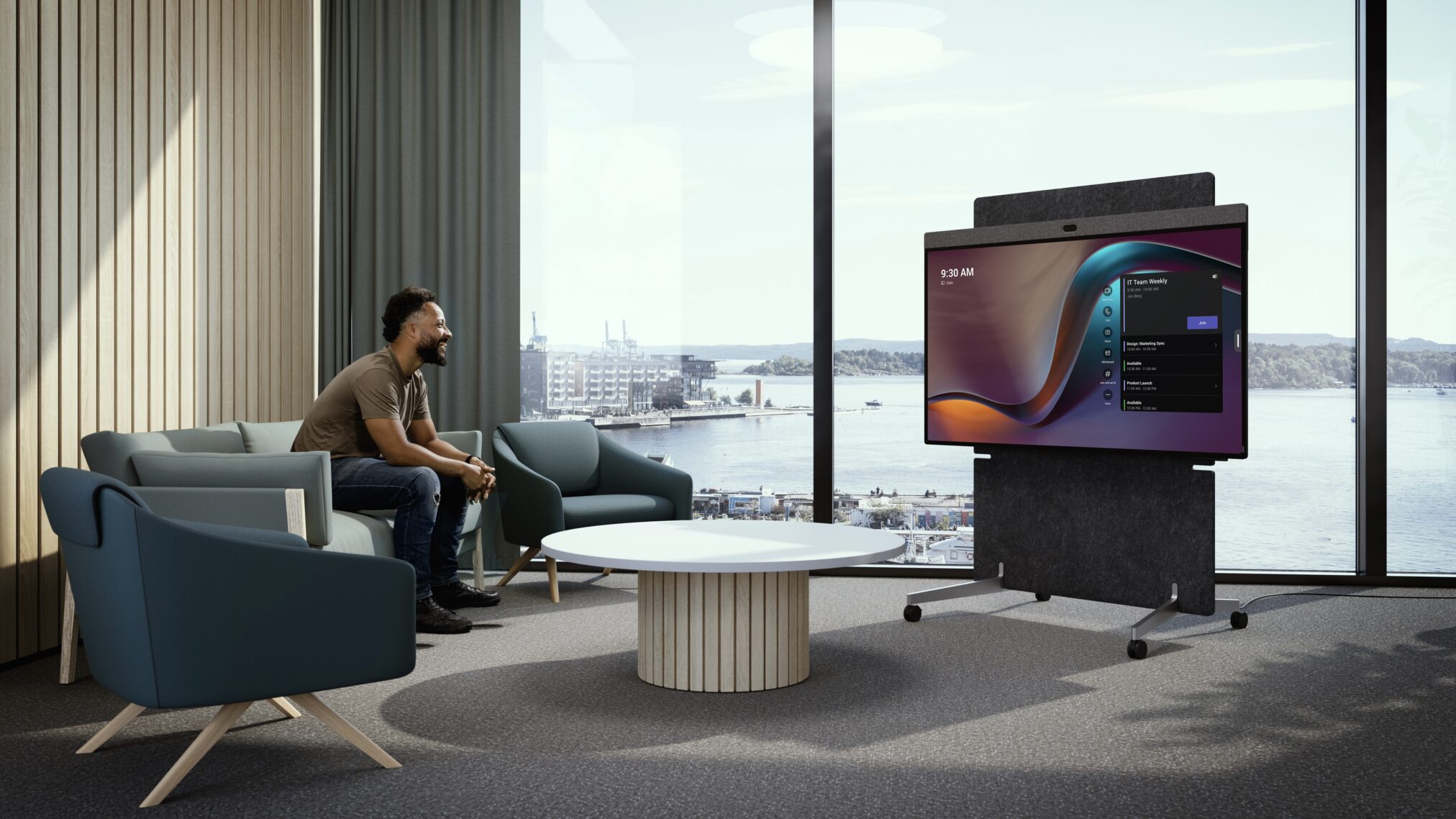
Neat removes the barriers to deploying Microsoft Teams Rooms. No peripherals. No complexity. Just a fast, intuitive setup that gets teams into meetings in minutes.
Setting up modern meeting technology has long felt like a multi-day project—hardware selection, cabling, configuration, and ongoing IT support. But it doesn’t have to be that way.
With Microsoft Teams Rooms Express Install and Neat devices, transforming a meeting space into a fully functioning collaboration room is now remarkably fast and straightforward. We’re talking about setup times measured in minutes, not hours.
From day one, Neat has been built for express installation. Our video devices are designed to be simple, intuitive, and fast to deploy—making it easy to install, set up, and get going without friction.
Just ask leading global reinsurer SCOR. Using Neat, they kitted out more than 200 Microsoft Teams Rooms in record time, setting a new internal benchmark for speed, consistency, and user adoption.
Read the full story: Neat Helps SCOR Deploy Pioneering Video Tech in Record Time.
Where Express Install meets Neat simplicity
Express Install for Microsoft Teams Rooms (MTR) enables fast, simple deployment in small focus rooms and huddle spaces. Built around a single, unified device, it’s optimized for speed and ease of use.
This approach aligns perfectly with Neat. Our simple, intelligent, open video solutions turn small spaces into high-impact collaboration rooms in minutes.
Devices like Neat Board 50 and Neat Board Pro are purpose-built for Microsoft Teams Rooms, delivering an exceptional experience with minimal setup—making Neat the ideal choice for Express Install environments.
Built for speed. Fewer components. Integrated software. Three simple steps.
Step 1: Minimal hardware, maximum impact
Neat devices are genuinely all-in-one.
- Unbox the device
Roll a Neat Board 50 or Neat Board Pro into any room or place on a table mount—no drilling or fixed installation required. - Connect power and network
Plug in power and connect to the network—Ethernet recommended for optimal performance.
That’s the hardware done.
Step 2: Guided setup, no guesswork
Once powered on, Neat guides you through setup with a clear, step-by-step process.
- Select Microsoft Teams as your platform
- Choose basic settings like language and time zone
- Sign in using your Microsoft Teams Rooms account—either through remote provisioning in the Microsoft Teams Admin Center or via Neat Pulse remote control.
The moment you log in, the device automatically registers with your Teams environment.
Step 3: Room ready
That’s it.
The familiar Microsoft Teams Rooms interface appears instantly, and the room is ready for use. Walk in, tap Join on the device or on a Neat Pad, and you’re connected.
No extra configuration, waiting, or IT ticket.
Why organizations choose Neat for Express Install
Choosing Neat for Microsoft Teams Rooms Express Install delivers real, measurable benefits:
- Faster deployment
Roll out rooms in minutes, making large-scale deployments realistic and cost-effective. In fact, Neat helped SCOR achieve a 40% reduction in operational costs and six-figure savings overall. - Less complexity
Fewer components and minimal cabling reduce points of failure. - Outstanding audio and video
Pioneering technologies like Neat Symmetry and AI-powered audio processing ensure everyone sees and hears each other clearly. - Centralized management
Manage rooms and devices directly through the Microsoft Teams Admin Center, Teams Rooms Pro Portal, or Neat Pulse.
Neat doesn’t just make rooms faster to install—it makes them easier to own.
Ready to transform your huddle spaces?
With Neat and Microsoft Teams Rooms Express Install, deploying meeting spaces no longer slows you down. You get beautifully simple, intelligent devices, an intuitive setup experience, and rooms that are easy to scale and reliable every day.
With Neat, Express Install isn’t just fast—it’s frictionless.
Visit us at ISE 2026 in Barcelona, Hall 2, Stand U300, and see firsthand how quickly you can set up a Neat device on Microsoft Teams, or stop by Heckler’s booth in Hall 1, Stand A350, to see Neat Board Pro on the Heckler cart, which is TAA compliant.
Not heading to ISE? Connect with your preferred reseller, join one of our live product tours, or book a one-on-one demo with a Neat product specialist.
And for a bit of fun, watch our express installation of Neat Board 50 go head-to-head with Oracle Red Bull Racing driver and four-time Formula One World Champion Max Verstappen—and decide for yourself who’s faster.