

Google Meet Just Got Better with Neat Touch Devices
Chicco Hiranandani, May 19, 2026
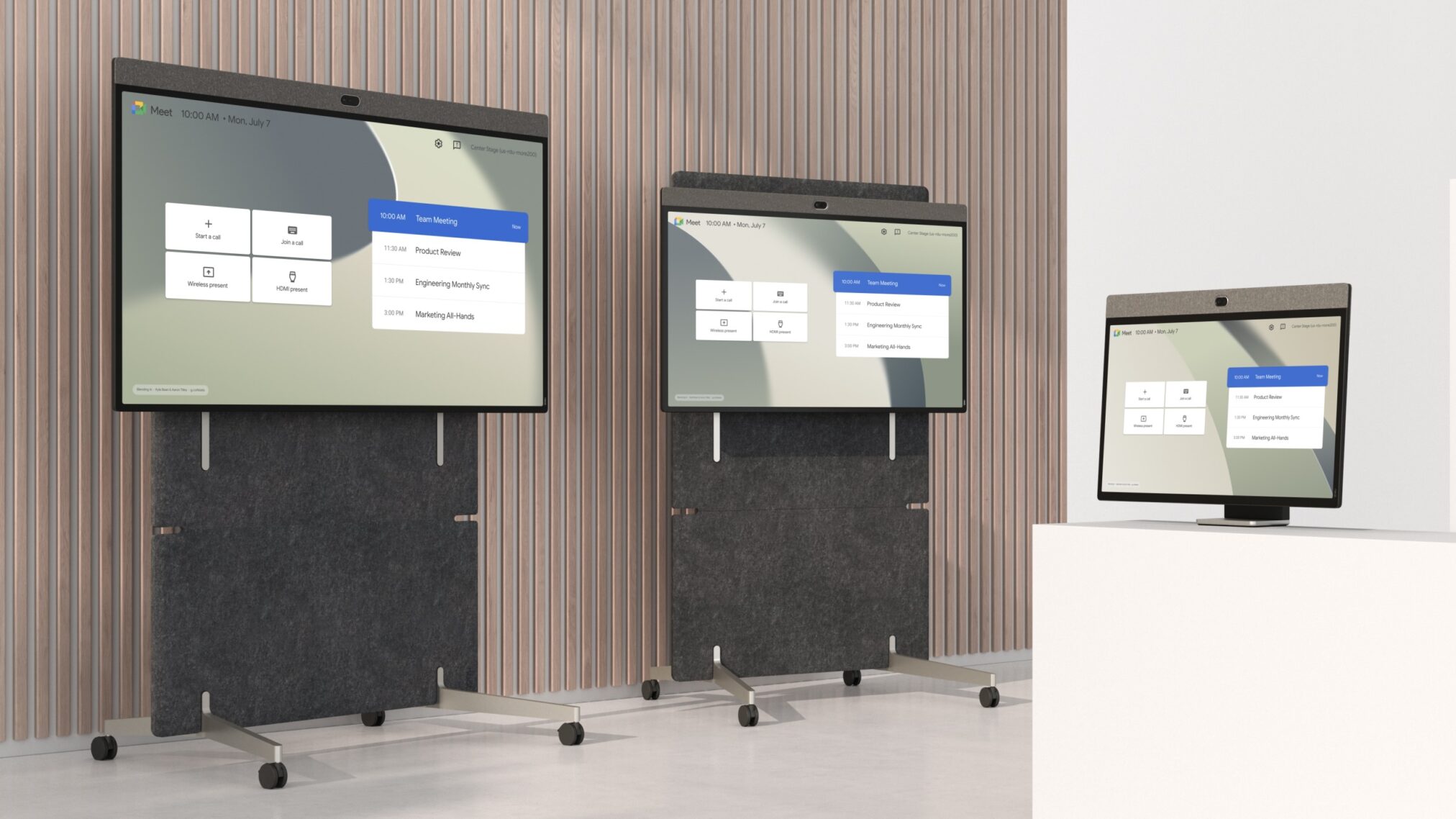
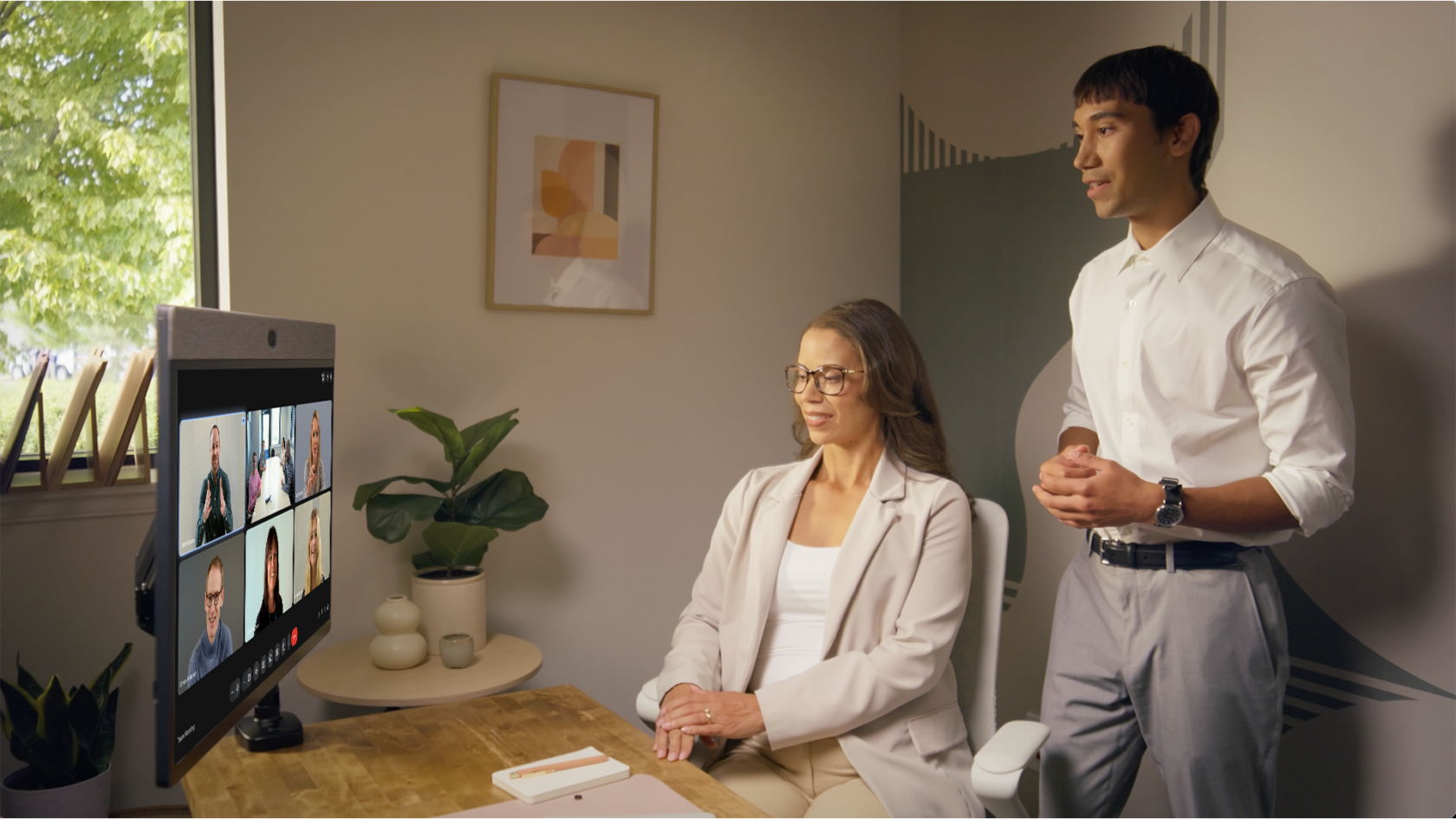
Touch-enabled collaboration on Google Meet is now available on Neat devices, with intelligent audio and video, integrated whiteboarding, and seamless app support.
Our partnership with Google Meet continues to accelerate—and it’s entering an exciting new chapter.
Earlier this year, we announced that Google Meet is now natively supported on our Neat Bar Gen 2 and Neat Bar Pro devices through 2033.
With full support for Neat Center, this milestone marked a powerful evolution in our collaboration with Google—fusing Google’s next-generation collaboration intelligence with Neat’s AI-driven video hardware. The result is meetings that look sharper, sound smarter, and feel more natural for everyone involved—and now, we’re building on that momentum.
Introducing Google Meet on touch—across three board sizes
We’re proud to announce that Google Meet is officially GA on Neat Board 32, Neat Board 50, and Neat Board Pro—with full touch functionality.
Google Meet on Android brings interactive collaboration, integrated whiteboarding, and seamless meeting control across Neat’s complete touch portfolio.
From compact spaces to large collaboration rooms, organizations can choose:
- Neat Board 32
- Neat Board 50
- Neat Board Pro (65″)
Three purpose-built sizes that give organizations the flexibility to deploy the right solution in every space.
Whether it’s a huddle room, classroom, design studio, or executive boardroom, teams can standardize on Neat for Google Meet across their entire workspace.
But this isn’t just touch for the sake of touch.
Neat Board 50 and Neat Board Pro go even further. Thanks to their all-in-one design and optional adaptive stands, teams can easily set up collaboration spaces in almost any area of the office—transforming how they create, collaborate, and move ideas forward, naturally and intuitively.
Whiteboarding, reimagined for creative work and education
With Google Meet on Neat touch devices, whiteboarding becomes deeply integrated into the meeting experience.
Users can:
- Start a meeting
- Launch a whiteboard
- Open apps like Figma, Lucidspark, or Miro
- Create or open existing boards
- Share the board directly into the meeting
- Continue collaborating—without leaving the interface
Start whiteboarding before a meeting begins, then instantly launch a Google Meet call. Or, once in a meeting, open collaborative tools and begin ideating in seconds.
For creative teams, this means real-time visual collaboration without friction, while educators can create more interactive learning experiences where in-room and remote students share the same evolving canvas. For design reviews, product sprints, and brainstorming sessions, it also eliminates traditional screen share bottlenecks.
Beyond small rooms: Expanding with Neat Center
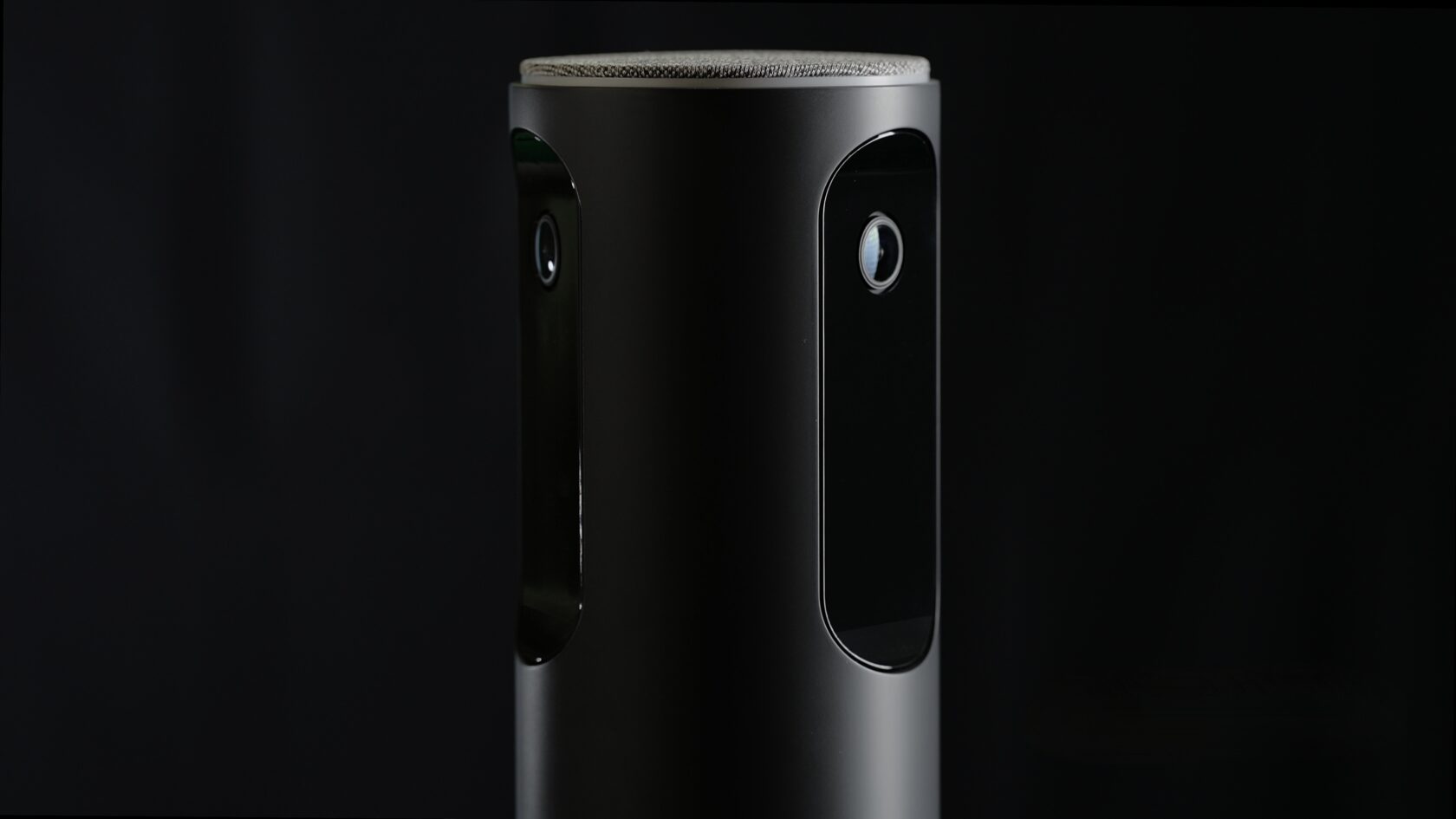
Neat Center is fully integrated into the Google Meet experience—and it’s far more than a 360° camera.
It features:
- A 16-microphone array
- Advanced audio pickup
- Network-enabled scalability
Why does this matter?
Because Google’s Gemini AI relies on clean, precise audio capture to deliver accurate transcripts and summaries. Neat’s audio performance helps ensure Gemini operates at its best.
This allows Google Meet customers to scale from small and medium spaces to larger conference rooms, classrooms, and all-hands environments—all on the same platform.
Built for the long term
Our Gen 2 devices run on Android 13, meeting Google’s latest platform requirements—while newer devices like Neat Board 32 already run on Android 15.
More importantly, Neat devices are engineered for long-term platform evolution—not tied to a single OS cycle.
Google Meet is now GA across all Neat Gen 2 devices, giving organizations a consistent, scalable foundation for collaboration across bars, boards, and companion devices.
Introducing Neat Focus: Built for educators and presenters
In larger rooms and classrooms, one challenge remains constant: how do you clearly highlight the presenter while maintaining an equitable experience?
Neat Focus solves this by pairing a primary Neat device—such as Neat Bar Pro—with a Neat Center companion device to define two intelligent zones:
- The audience
- The presenter area
When someone steps into the presenter zone, Neat Focus prioritizes and frames them automatically.
The result:
Remote participants see exactly what in-room attendees see:
- The presenter clearly framed
- The audience actively engaged
- A seamless, equitable experience for all
This is especially powerful in classrooms, training rooms, large conference rooms, and town halls.
With Google Meet and Neat Focus, hybrid learning and presentation environments become truly inclusive.
Room scheduling and workflows with Neat App Hub
Google Meet on Neat isn’t just about meetings—it’s about the workflows around them.
Neat App Hub enables organizations to deploy trusted third-party scheduling apps directly to Neat devices. On Neat Pad and Neat Pad Pro, these apps integrate seamlessly with Google Calendar, providing flexible room scheduling for Google Meet spaces where native scheduling may not be available.
And with Neat Pulse, deploying and managing these apps across multiple devices takes just a few clicks.
A complete Google Meet portfolio
From Bars to Boards.
From small rooms to large spaces.
From individual framing to presenter tracking.
From whiteboarding to AI-powered transcripts.
Neat and Google Meet now offer a complete, scalable portfolio:
- Neat Bars (Gen 2 and Pro)
- Neat Boards (32″, 50″, 65″)
- Neat Center (1 or 2 per room)
- Neat Pad and Neat Pad Pro
- Neat Focus for presenter environments
- Neat App Hub for workflow management
This goes far beyond certification. It’s a deeply engineered partnership built to unlock the full potential of Google Workspace across every space.
Hybrid collaboration is no longer just about joining meetings—it’s about creating, teaching, presenting, and building together seamlessly.
Google Meet on Neat touch devices brings that experience to life.
See Neat in action at a webinar or live product tour—or schedule a personalized demo with a Neat specialist.