

Business and Home Office Conference Setups for 2026
Hayley Spooner, Jun 4, 2026
Key takeaways
- Modern video conference setups are no longer just collections of cameras and microphones. They are integrated collaboration ecosystems that support hybrid work across offices, homes, and shared workspaces.
- The best conferencing setups combine intelligent audio, video powered by artificial intelligence (AI), platform interoperability, cloud management, and simple user experiences.
- Organizations increasingly view conferencing technology as business-critical infrastructure because meeting quality directly affects productivity, communication, and employee experience.
- Audio quality remains one of the most important factors in successful conferencing, often having a greater impact on collaboration than video quality alone.
- AI-powered features such as automatic framing, speaker tracking, transcription, and meeting summaries are becoming standard capabilities in modern conferencing environments.
- Meeting equity has become a core design principle, helping remote and in-room participants contribute more naturally and effectively during hybrid meetings.
- As organizations scale collaboration environments across locations, cloud-based management, analytics, and centralized device monitoring are becoming essential for IT teams.
Video conferencing setups have evolved far beyond simple webcams and laptop microphones. In 2026, conferencing environments are now a core part of workplace infrastructure, supporting how teams collaborate across offices, home workspaces, shared environments, and hybrid meeting rooms.
The expectations placed on conferencing technology have also changed dramatically. Employees now expect meetings to work instantly, regardless of location or platform. Organizations expect conferencing systems to support AI-powered collaboration, meeting equity, interoperability, and centralized management. IT teams increasingly prioritize systems that reduce friction rather than add complexity.
As hybrid work has matured, the distinction between business meeting rooms and home office setups has started to blur. Employees now expect the same quality of experience whether they are working from home, joining from a huddle room, or collaborating in a large conference space.
This means modern video conferencing setups are no longer just collections of hardware. They are complete collaboration ecosystems designed to support productivity, communication, and flexibility across different work environments.
What is a video conference setup?
A video conference setup is the combination of hardware, software, networking, and collaboration tools used to support virtual and hybrid meetings. Modern setups typically include cameras, microphones, speakers, displays, conferencing software, wireless sharing, and AI-powered collaboration features designed to help participants communicate clearly across locations.
In 2026, video conference setups increasingly include intelligent automation, cloud management, interoperability across conferencing platforms, and meeting-equity technologies that improve collaboration between remote and in-room participants.
The best conferencing setups are designed to make collaboration feel seamless rather than technical.
Quick answer: What makes a great video conference setup in 2026?
The best video conference setups in 2026 combine:
- Intelligent audio and video
- AI-powered collaboration features
- Seamless interoperability across platforms
- Simple and intuitive user experiences
- Flexible deployment across spaces
- Reliable cloud management and scalability
Whether for a business conference room or a home office, the most important factor is reducing friction so collaboration feels natural rather than technical.
Video conference setup types at a glance
| Setup type | Best for | Key technologies | Typical users |
| Home office setup | Individual remote work | AI webcam, noise suppression | Remote employees |
| Huddle room setup | Small team collaboration | Conferencing bar, wireless sharing | Small teams |
| Medium meeting room | Team meetings | AI framing, adaptive audio | Departments |
| Large conference room | Executive collaboration | Multi-camera systems | Leadership teams |
| BYOM environment | Flexible collaboration | Multi-platform support | Hybrid organizations |
| AI-powered setup | Intelligent workflows | Transcription, automation | Enterprise collaboration |
| Immersive collaboration | Meeting equity | 360-degree video, spatial audio | Large hybrid teams |
| Cloud-managed ecosystem | Multi-office scaling | Centralized analytics | Enterprise IT teams |
Why conferencing setups matter more than ever
Hybrid work is no longer a temporary arrangement. In 2026, it has become standard operating infrastructure for many organizations.
Meetings now happen across home offices, conference rooms, coworking spaces, and mobile devices simultaneously. This means conferencing setups directly affect communication quality, employee experience, productivity, and workplace culture.
Research continues to show that poor meeting technology creates significant frustration and operational inefficiency. Employees lose time to setup delays, audio problems, platform switching, and unreliable room systems.
This is why organizations increasingly focus on systems that minimize complexity and create consistent collaboration experiences across locations.
The broader shift is that conferencing systems are now viewed as business-critical infrastructure rather than optional workplace tools.
What equipment is needed for a professional video conference setup?
The exact equipment depends on the room type and collaboration requirements, but most modern conferencing environments include:
| Equipment | Purpose |
| AI-powered camera | Automatic framing and visibility |
| Microphone array | Clear voice pickup |
| Integrated speakers | Natural audio distribution |
| Conferencing display | Shared visual collaboration |
| Wireless sharing | Flexible presentations |
| Cloud management platform | Remote administration |
| Conferencing software | Meeting connectivity |
Modern systems increasingly combine these capabilities into integrated devices rather than separate hardware components.
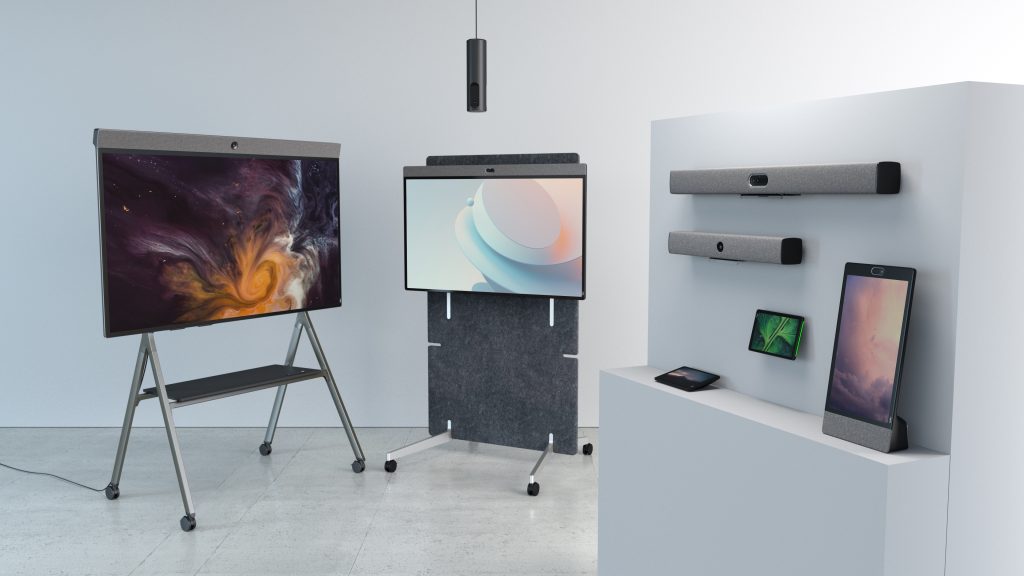
Neat devices such as Neat Bar, Neat Board 32, Neat Board 50, and Neat Bar Pro reflect this industry movement toward integrated conferencing systems designed to reduce setup friction and simplify hybrid collaboration.
The modern business conferencing setup
Business conferencing setups have evolved from traditional AV rooms into intelligent collaboration environments.
Earlier meeting rooms often relied on disconnected hardware components, external controllers, and complicated room systems that required technical support to operate. In 2026, the trend is moving strongly toward integrated conferencing systems designed around simplicity and usability.
Modern business setups typically combine:
- Integrated conferencing bars
- AI-powered cameras
- Intelligent microphone arrays
- Wireless content sharing
- Cloud-based device management
- Native platform integration
Neat’s approach reflects this broader industry shift. Devices such as Neat Bar, Neat Bar Pro, and Neat Board 50 combine cameras, microphones, speakers, touch interaction, and AI-powered collaboration into unified systems that reduce friction and simplify deployment.
The goal is no longer simply to connect a call. The goal is to create meeting experiences where technology fades into the background.
Core components of a modern business conferencing setup
| Component | Purpose | Why it matters |
| AI-powered camera | Automatic framing and tracking | Better engagement |
| Adaptive microphones | Clear audio across the room | Improved communication |
| Integrated speakers | Natural sound distribution | Reduced fatigue |
| Wireless sharing | Flexible collaboration | Faster meetings |
| Cloud management | Centralized oversight | Easier scalability |
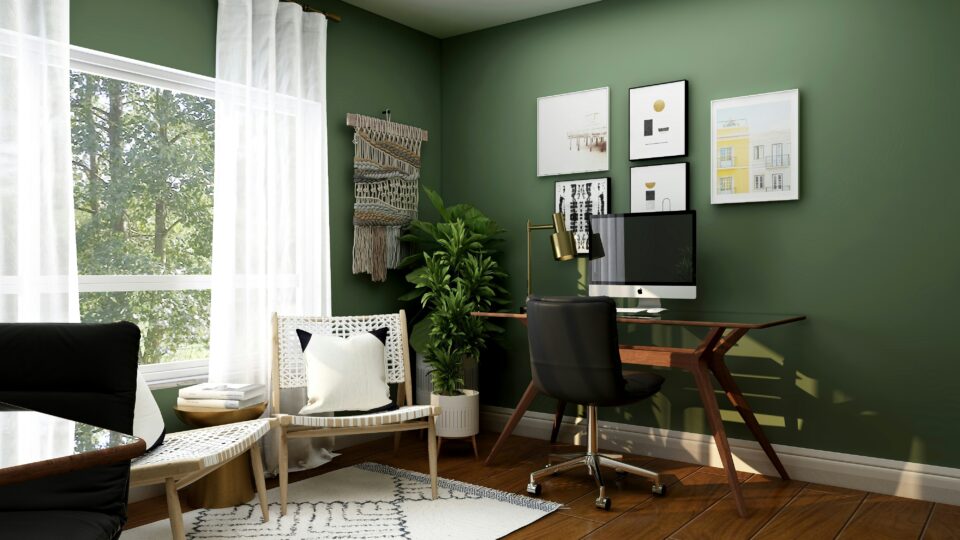
Home office setups are becoming more professional
Home office conferencing setups have also evolved significantly.
A few years ago, many remote employees relied on basic laptop webcams and consumer-grade audio. In 2026, expectations are much higher. Audio quality, video clarity, reliability, and workspace ergonomics now directly affect professional credibility and productivity.
Modern home office setups increasingly prioritize:
- Dedicated conferencing devices
- AI-enhanced webcams
- External microphones or speaker systems
- Better lighting
- Multiple displays
- Stable connectivity
This shift reflects the growing recognition that hybrid work is permanent rather than temporary.
Neat Frame reflects this broader movement toward more sophisticated personal collaboration environments. Designed specifically for individual workspaces, it combines portrait-oriented video, integrated audio, and touch interaction into a single dedicated collaboration device.
The broader trend is clear: personal workspaces are becoming extensions of enterprise collaboration environments rather than isolated remote setups.
Recommended home office setup components
| Component | Benefit |
| Dedicated conferencing display | Better focus and visibility |
| AI camera | Natural framing |
| Noise suppression | Clearer calls |
| External lighting | Improved video quality |
| Dual monitors | Higher productivity |
| Stable internet connection | Reliable meetings |
Why is audio more important than video in conferencing?
Many organizations focus heavily on cameras and displays while underestimating the importance of audio quality.
In practice, poor audio disrupts collaboration far more quickly than imperfect video. If participants cannot hear clearly, communication breaks down immediately regardless of camera quality.
This is why modern conferencing systems increasingly prioritize:
- Adaptive microphone arrays
- AI-powered noise suppression
- Echo cancellation
- Distributed audio systems
- Intelligent voice isolation
Neat devices use adaptive audio processing and multiple microphone arrays to continuously optimize meeting clarity based on room conditions and participant positions.
Audio quality remains one of the single biggest predictors of meeting satisfaction in hybrid collaboration environments.
AI is transforming conferencing setups
Artificial intelligence has become one of the defining characteristics of modern conferencing systems.
In 2026, AI capabilities are increasingly considered baseline functionality rather than premium features. Modern conferencing setups now support:
- Automatic framing
- Speaker tracking
- Real-time transcription
- Meeting summaries
- Intelligent audio processing
- Workflow automation
- Adaptive room controls
AI is changing conferencing systems from passive communication tools into active collaboration environments.
Neat’s conferencing architecture reflects this trend through features such as intelligent framing, adaptive audio, and Neat Symmetry, which automatically frames participants individually to improve meeting equity.
This is especially important in hybrid meetings, where remote participants often struggle to feel equally included.
Learn more about Neat’s revolutionary AI approach here.
AI features shaping conferencing setups in 2026
| AI capability | Business impact |
| Automatic framing | Better visibility |
| Intelligent audio | Clearer communication |
| Real-time transcription | Accessibility |
| Meeting summaries | Reduced admin work |
| Speaker tracking | Improved engagement |
What makes a conferencing setup AI-powered?
A conferencing setup is considered AI-powered when it uses machine learning and intelligent automation to improve collaboration without requiring manual adjustment.
Examples include:
| AI feature | Function |
| Auto-framing | Keeps participants visible |
| Speaker tracking | Focuses on active speakers |
| Noise suppression | Removes distractions |
| Real-time summaries | Captures meeting outcomes |
| Intelligent layouts | Improves hybrid visibility |
AI-powered conferencing environments reduce cognitive load and create more natural meeting experiences.
Meeting equity is now a core requirement
One of the biggest changes in conferencing design is the growing focus on meeting equity.
Meeting equity refers to creating environments where remote participants can contribute as naturally and effectively as people physically in the room.
This has become increasingly important because hybrid work is now standard infrastructure rather than an occasional workflow. Organizations increasingly recognize that poor hybrid experiences reduce engagement, collaboration quality, and productivity.
Modern conferencing setups now use:
- Multi-camera systems
- Intelligent framing
- Adaptive audio
- Companion devices
- Spatial layouts
Neat Center reflects this shift toward more equitable hybrid meetings. With 360-degree video and omnidirectional audio pickup, it helps ensure remote participants can clearly see and hear everyone in the room, even when conversations move naturally around the space.
Traditional vs equitable conferencing setups
| Feature | Traditional setup | Meeting-equity-focused setup |
| Participant visibility | Limited | Balanced |
| Audio coverage | Uneven | Adaptive |
| Engagement | Lower | Higher |
| Hybrid inclusion | Inconsistent | Improved |
Traditional conferencing setups vs modern hybrid systems
| Traditional setup | Modern hybrid setup |
| Static cameras | AI-powered framing |
| Wired sharing only | Wireless collaboration |
| Platform-specific rooms | Multi-platform flexibility |
| Manual controls | Automated experiences |
| Reactive support | Cloud-managed systems |
The broader trend in 2026 is toward systems that adapt automatically to participants and workflows rather than requiring users to adapt to technology.
Interoperability matters more in 2026
Organizations increasingly operate across multiple collaboration platforms. Teams may use Microsoft Teams internally, Zoom with clients, Google Meet with partners, and BYOM workflows for flexible collaboration.
As a result, modern conferencing setups must support platform flexibility without adding operational complexity.
This has accelerated the rise of BYOM (Bring Your Own Meeting) environments where users can launch meetings directly from personal devices while still using room cameras, microphones, and displays.
Neat Open reflects this movement toward more flexible conferencing environments by enabling cross-platform collaboration and Bring Your Own Device (BYOD) workflows within Neat systems.
Why interoperability matters
| Priority | Benefit |
| Multi-platform support | Greater flexibility |
| BYOM compatibility | Easier collaboration |
| Reduced vendor lock-in | Long-term adaptability |
| Simplified workflows | Better user experience |
Common video conferencing setup mistakes in 2026
Many organizations still make the mistake of focusing primarily on cameras and displays while overlooking audio quality, interoperability, and usability.
Some of the most common conferencing setup mistakes include:
| Mistake | Impact |
| Poor microphone placement | Reduced meeting clarity |
| Platform-specific rooms only | Limited flexibility |
| Complex room controls | Lower adoption |
| Inconsistent room experiences | User confusion |
| Weak home office setups | Uneven collaboration quality |
Organizations increasingly realize that meeting quality depends more on system integration and usability than on individual hardware specifications alone.
Cloud management and analytics are becoming essential
As conferencing deployments scale across offices and home environments, centralized management has become increasingly important.
Organizations now expect conferencing systems to support:
- Remote monitoring
- Cloud-based updates
- Device analytics
- Usage insights
- Environmental monitoring
- Centralized troubleshooting
This reflects a broader shift where conferencing systems are treated as organizational infrastructure rather than isolated meeting room hardware.
Neat Pulse reflects this industry direction by providing centralized management, analytics, monitoring, and device control across conferencing environments.
Cloud-managed conferencing capabilities
| Capability | Outcome |
| Remote monitoring | Reduced downtime |
| Centralized updates | Consistent performance |
| Analytics | Better optimization |
| Device management | Easier scaling |
| Environmental insights | Smarter workplaces |
How modern conferencing setups work together
Modern conferencing environments are no longer isolated meeting rooms. They are connected collaboration ecosystems that combine:
- AI-powered conferencing devices
- Cloud management platforms
- Hybrid meeting rooms
- Personal workspaces
- Workflow integrations
- Intelligent analytics
The goal is to create seamless collaboration experiences across offices, homes, and mobile work environments while minimizing operational complexity for both users and IT teams.
Organizations increasingly succeed when conferencing systems feel unified rather than fragmented.
Designing conferencing setups around people, not hardware
One of the biggest shifts happening in 2026 is the move toward human-centric conferencing design.
Organizations increasingly realize that successful conferencing environments are not defined by how much technology they contain, but by how invisible and intuitive that technology feels.
This means the best conferencing setups prioritize:
- Simplicity
- Reliability
- Flexibility
- Inclusivity
- Consistency
Neat’s design philosophy strongly reflects this trend. Rather than focusing on feature overload, Neat systems emphasize simple interaction, elegant hardware integration, adaptive intelligence, and natural collaboration experiences.
The broader industry direction is clear: simplicity is becoming more valuable than complexity.
The future of conferencing setups
The future of conferencing setups is becoming increasingly intelligent, adaptive, and integrated.
Organizations are moving toward environments where:
- AI continuously optimizes meetings
- Systems adapt automatically to participants
- Collaboration flows seamlessly across locations
- Hardware and software work together invisibly
- Workspaces become data-driven and responsive
At the same time, the line between home offices and enterprise collaboration environments will continue to blur. Employees increasingly expect the same meeting quality and collaboration experience regardless of where they work.
The most successful conferencing setups will therefore be the ones that combine enterprise-grade performance with consumer-grade simplicity.
Where Neat fits in
The evolution of video conference setups reflects a broader shift in workplace collaboration. Organizations are no longer investing in standalone meeting room technology. Instead, they are building connected collaboration ecosystems that support employees across conference rooms, huddle spaces, home offices, and hybrid environments.
This shift aligns closely with the areas where modern conferencing technology is evolving most rapidly: integrated room systems, AI-powered collaboration, meeting equity, interoperability, and centralized management. Businesses increasingly want solutions that reduce complexity while delivering consistent experiences regardless of room size, location, or conferencing platform.
Neat’s portfolio is designed around these modern conferencing requirements. Solutions such as Neat Bar, Neat Bar Pro, Neat Board 32, Neat Frame, and Neat Center support a wide range of conferencing environments, from individual workspaces and huddle rooms to large hybrid meeting spaces. Features including intelligent framing, adaptive audio, Neat Symmetry, and immersive room perspectives help create more natural and inclusive collaboration experiences.
At the organizational level, cloud management has become just as important as meeting room hardware. Neat Pulse reflects the growing demand for centralized monitoring, analytics, device management, and operational visibility across distributed conferencing environments, helping IT teams manage collaboration infrastructure at scale.
Ultimately, the most successful video conference setups are those that make technology feel invisible. By combining intelligent automation, flexible deployment options, seamless platform experiences, and centralized management, Neat supports the goal that increasingly defines modern conferencing: creating collaboration environments where communication feels natural, productive, and equitable regardless of where participants are located.
The future of video conferencing is not about adding more technology to meetings. It is about delivering better experiences through technology that adapts to people, supports flexible ways of working, and fades into the background when collaboration begins.
Discover Neat’s pioneering devices or book a demo and experience them for yourself.
Frequently asked questions
What is the best video conference setup for a small business?
The best setup combines reliable audio, AI-powered video, wireless sharing, and simple meeting controls without requiring complex infrastructure.
What equipment is required for hybrid meetings?
Most hybrid meetings require cameras, microphones, speakers, displays, conferencing software, and reliable connectivity.
Are AI-powered conferencing systems worth it?
Yes. AI-powered systems improve meeting quality, automate repetitive tasks, and reduce collaboration friction.
How do companies improve meeting equity?
Organizations improve meeting equity through intelligent framing, adaptive audio, immersive room systems, and better hybrid room design.
What is the difference between BYOM and traditional conferencing rooms?
BYOM systems allow users to launch meetings from personal devices while using room hardware, creating more flexible collaboration environments.
Sources
- Boom Collaboration — Conferencing trends for 2026: https://boom.co/blog/the-top-5-conferencing-trends-for-2026
- TechRadar — Multi-platform collaboration and BYOM: https://www.techradar.com/pro/why-2026-is-the-year-of-flexibility-without-friction-solving-the-multi-platform-crisis
- ITPro — Hybrid meeting frustrations and productivity impact: https://www.itpro.com/business/business-strategy/it-undermines-wellbeing-and-derails-collaboration-employees-are-still-keen-on-hybrid-working-but-clunky-tools-are-causing-frustration-and-harming-productivity
- AV Network — Workplace collaboration technology trends: https://www.avnetwork.com/news/top-integrators-2025-top-trends-for-2026
- Cordless Consultants — Human-centric conferencing strategy: https://www.cordlessconsultants.co.uk/video-conferencing-strategy-a-strategic-guide-for-the-2026-built-environment/
- Business Reporter — Future of video conferencing and Neat Frame: https://www.business-reporter.com/digital-transformation/simple-smart-and-easy-to-use-why-neat-is-the-future-of-video-conferencing
- Laptop Outlet — Remote work technology setups: https://www.laptopoutlet.co.uk/blog/remote-work-tech-setup.html
- AVer — Video conferencing trends: https://www.aver.com/AVerExpert/Video-Conferencing-Trends
- AVNetwork — BYOD and flexible collaboration spaces: https://www.avnetwork.com/news/neat-enhances-byod-spaces-into-intelligent-flexible-collaboration-hubs