


Zoom Workplace vs Zoom Rooms: What’s the Difference and Which Do You Need in 2026?
Hayley Spooner, Jul 17, 2026
Key takeaways
- Zoom Workplace and Zoom Rooms are designed for different purposes but work best together.
- Zoom Workplace is an AI-powered collaboration platform for individual users, while Zoom Rooms powers shared meeting spaces.
- Most organisations use Zoom Workplace for personal productivity and Zoom Rooms for conference rooms and collaboration spaces.
- Dedicated meeting room hardware delivers a more consistent, reliable experience than using laptops alone.
- AI-powered meetings, room management, and workplace analytics are transforming how organisations use meeting spaces.
- Choosing flexible, platform-compatible meeting room technology helps future-proof collaboration as workplace needs evolve.
Introduction
If you’ve searched for “Zoom vs Zoom Rooms,” you’ve probably discovered that the answer isn’t as simple as it once was.
Over the past few years, Zoom has evolved from a video conferencing application into Zoom Workplace, a broader collaboration platform that combines meetings, messaging, scheduling, whiteboarding, AI assistance, and productivity tools into a single experience.
At the same time, Zoom Rooms has continued to evolve as the dedicated meeting room solution that brings those collaboration experiences into physical workspaces.
Because the names are similar, many organisations assume they are competing products. In reality, they serve different purposes. One is designed for individual users, while the other is built specifically for shared meeting spaces.
Understanding the difference is important when planning hybrid workplaces, purchasing meeting room technology, or deciding how employees will collaborate across offices and remote locations.
This guide explains how Zoom Workplace and Zoom Rooms differ, when you need each one, and how organisations are designing smarter meeting experiences in 2026.
What is Zoom Workplace?
Zoom Workplace is Zoom’s AI-powered collaboration platform for individual users.
It brings together the tools employees use throughout the working day, allowing them to communicate, collaborate, and manage work from a single platform.
Rather than being limited to video meetings, Zoom Workplace supports a wide range of collaboration activities across desktop and mobile devices.
Core capabilities include:
- Video meetings
- Team chat
- Phone
- Email and calendar integration
- Whiteboards
- Document collaboration
- AI Companion
- Screen sharing
- Meeting summaries and transcription
For most employees, Zoom Workplace is the application they interact with every day. Whether joining meetings from home, collaborating with colleagues, or sharing content during presentations, it provides the personal collaboration experience that supports modern hybrid work.
As AI becomes more deeply integrated into workplace technology, Zoom Workplace also includes intelligent features designed to reduce administrative tasks, summarise meetings, surface action items, and improve productivity.
What is Zoom Rooms?
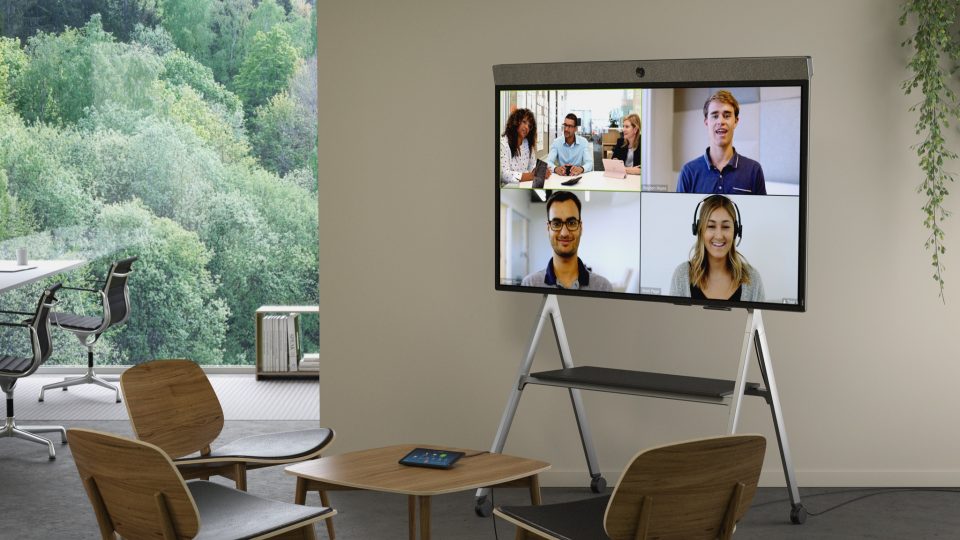
Zoom Rooms is Zoom’s software solution for shared meeting spaces, transforming conference rooms into dedicated collaboration environments.
Unlike Zoom Workplace, which is designed for individual users, Zoom Rooms is installed on dedicated meeting room hardware and is intended to provide a consistent experience for everyone using the space.
A typical Zoom Room may include:
- A room computer or appliance
- Professional cameras
- Microphones
- Speakers
- Touch controller
- Scheduling display
- Interactive display or dual screens
Instead of relying on someone connecting a laptop every time a meeting starts, Zoom Rooms creates a permanent collaboration environment that’s always ready for use.
This approach offers several advantages:
- One-touch meeting join
- Consistent audio and video quality
- Better camera coverage
- Simplified room management
- Improved support for hybrid meetings
- Centralised device administration
As organisations invest in smarter workplaces, Zoom Rooms has expanded beyond video conferencing to support room scheduling, workplace management, digital signage, and AI-powered collaboration experiences as part of Zoom’s broader workplace ecosystem.
Zoom Workplace vs Zoom Rooms at a glance
While they work together, Zoom Workplace and Zoom Rooms are designed for different environments and users.
| Feature | Zoom Workplace | Zoom Rooms |
| Primary purpose | Personal collaboration | Shared meeting room collaboration |
| Designed for | Individual users | Conference rooms and shared spaces |
| Runs on | Laptop, desktop, tablet, mobile | Dedicated meeting room hardware |
| Video meetings | ✔ | ✔ |
| Team Chat | ✔ | Limited |
| AI Companion | ✔ | ✔ |
| Whiteboard | ✔ | ✔ |
| Room scheduling | No | ✔ |
| Device management | Personal devices | Centralised room administration |
| Best suited for | Everyday work | Hybrid meeting spaces |
The two products are complementary rather than competitive. Employees typically use Zoom Workplace throughout the day, while Zoom Rooms provides a professional collaboration experience whenever they meet in a shared space.
Do you need Zoom Workplace or Zoom Rooms?
Most organisations don’t choose one or the other—they use both.
Zoom Workplace supports individual productivity, while Zoom Rooms ensures meeting spaces deliver a consistent experience for everyone, whether participants are in the room or joining remotely.
The right combination depends on how your teams work.
| If you need to… | Zoom Workplace | Zoom Rooms |
| Join meetings from your laptop or mobile device | ✔ | |
| Chat and collaborate with colleagues | ✔ | |
| Schedule and manage personal meetings | ✔ | |
| Equip conference rooms for hybrid meetings | ✔ | |
| Enable one-touch meeting joins | ✔ | |
| Standardize meeting room technology across multiple offices | ✔ | |
| Deliver professional audio and video in shared spaces | ✔ | |
| Support both personal and room-based collaboration | ✔ | ✔ |
For organisations embracing hybrid work, using both solutions creates a seamless experience. Employees can schedule meetings, collaborate individually, and then walk into a meeting room that is already equipped to deliver high-quality audio, video, and content sharing without relying on personal devices.
Key differences between Zoom Workplace and Zoom Rooms
Individual collaboration vs shared collaboration
The biggest difference is who each solution is designed for.
Zoom Workplace focuses on the individual employee. It enables people to communicate, collaborate, and manage work wherever they happen to be—whether that’s at home, in the office, or on the move.
Zoom Rooms, by contrast, is designed around the meeting space itself. The technology belongs to the room rather than to any one person, allowing anyone to walk in and start collaborating with minimal setup.
This distinction helps create more inclusive hybrid meetings by giving both in-room and remote participants a consistent experience.
Personal software vs dedicated meeting environments
Zoom Workplace is software, while Zoom Rooms is a complete meeting room experience.
Joining a meeting from a laptop works well for individual participants, but shared meeting spaces require more than personal devices.
Dedicated meeting rooms typically provide:
- Wide-angle cameras that capture everyone in the room
- Professional microphones that clearly pick up voices
- Speakers designed for larger spaces
- Room controllers for simple meeting management
- Displays that make shared content easier to view
These integrated environments reduce technical issues and help meetings start on time, while also improving the experience for remote participants.
Hardware integration
Meeting room hardware is one of the biggest differences between the two solutions.
Zoom Workplace can run on almost any compatible laptop, desktop, tablet, or smartphone.
Zoom Rooms, however, is designed to work with dedicated collaboration hardware that delivers consistent performance across meeting spaces of different sizes.
Purpose-built meeting room devices offer advantages such as:
- Intelligent camera framing
- Superior microphone coverage
- Integrated speakers
- Simplified installation
- Centralised management
- Reliable meeting performance
This integration becomes increasingly valuable as organisations expand their hybrid work environments and look for scalable ways to deliver consistent collaboration experiences.
AI capabilities
Both Zoom Workplace and Zoom Rooms now include AI-powered features, but they support different aspects of the meeting experience.
Artificial intelligence has become a core part of workplace collaboration, helping employees save time, improve productivity, and make meetings more effective.
Within Zoom Workplace, AI Companion assists individual users by:
- Summarising meetings
- Generating action items
- Answering questions about meeting content
- Drafting messages and documents
- Supporting productivity throughout the working day
Zoom Rooms extends many of these capabilities into shared meeting spaces. AI features work alongside intelligent room hardware to improve collaboration for everyone in the meeting, regardless of where they’re joining from.
As AI continues to evolve, organisations should consider how meeting room technology supports future AI capabilities, not just today’s video conferencing needs.
Room management and workplace insights
Managing dozens—or even hundreds—of meeting rooms requires more than great hardware.
For IT teams and workplace managers, Zoom Rooms provides centralised tools to deploy, monitor, and maintain meeting spaces across multiple locations.
These capabilities include:
- Remote device management
- Room scheduling
- Software updates
- Usage analytics
- Room health monitoring
- Device diagnostics
The ability to manage meeting rooms centrally reduces administrative overhead while helping organisations identify underused spaces, improve room utilization, and resolve issues before they affect employees.
As hybrid work continues to evolve, these operational insights are becoming just as valuable as the meetings themselves.
Platform flexibility
Modern meeting rooms need to support more than one collaboration platform.
While Zoom Rooms is designed to deliver the best possible Zoom experience, many organisations now operate in multi-platform environments.
Employees may use:
- Zoom
- Microsoft Teams
- Google Meet
- Webex
sometimes all within the same working week.
Rather than dedicating meeting spaces to a single platform, many businesses are investing in flexible collaboration technology that allows employees to join meetings regardless of which platform customers, partners, or colleagues use.
This approach reduces complexity, improves room utilization, and helps future-proof workplace investments as collaboration technologies continue to evolve.
Zoom Rooms in hybrid workplaces
The role of the meeting room has changed dramatically.
Conference rooms are no longer designed solely for people sitting around a table. Today’s spaces must create an equitable experience for participants joining from anywhere.
This has led organisations to rethink how meeting rooms are designed.
Modern hybrid meeting spaces increasingly prioritize:
- Meeting equity for remote participants
- Intelligent camera framing
- High-quality audio capture
- Wireless content sharing
- AI-assisted collaboration
- Simplified room booking
- Flexible room layouts
Rather than focusing only on technology, successful organisations view meeting rooms as part of the overall employee experience.
Research from workplace experts such as Gensler and Leesman consistently shows that employees value offices that provide meaningful opportunities for collaboration—making well-designed meeting spaces an important part of encouraging people back into the workplace.
Trends shaping Zoom collaboration in 2026
AI, flexibility, and workplace intelligence are redefining the modern meeting room.
Several trends are influencing how organisations deploy Zoom Workplace and Zoom Rooms.
AI-first collaboration
AI is becoming embedded across the collaboration experience, from automated meeting summaries to intelligent search, live transcription, and workflow automation.
Smarter meeting spaces
Meeting rooms are becoming intelligent environments that optimize camera views, audio quality, room scheduling, occupancy, and collaboration without requiring manual intervention.
Multi-platform workplaces
Increasingly, organisations expect meeting spaces to support multiple collaboration platforms rather than locking rooms into a single ecosystem.
Workplace analytics
Data on room utilisation, occupancy, and technology performance is helping workplace teams make better decisions about office design and technology investments.
Simplicity at scale
As organisations deploy more meeting rooms, reducing complexity has become a priority. Integrated devices, centralised management, and consistent user experiences help minimise IT support while making rooms easier for employees to use.
Common mistakes to avoid
Many meeting room challenges stem from planning decisions rather than technology itself.
Some of the most common mistakes include:
- Assuming Zoom Workplace and Zoom Rooms are competing products.
- Equipping meeting rooms with laptops instead of dedicated collaboration devices.
- Designing rooms around in-person attendees while overlooking remote participants.
- Locking meeting spaces into a single collaboration platform without considering future flexibility.
- Underestimating the importance of room management and ongoing maintenance.
- Focusing on hardware specifications rather than the overall meeting experience.
Taking a long-term approach helps organisations create collaboration spaces that continue delivering value as workplace technology evolves.
Where Neat fits in
Great meeting experiences depend on more than the collaboration platform—they rely on thoughtful room design and purpose-built technology.
Whether organisations use Zoom, Microsoft Teams, Google Meet, or multiple platforms, employees expect meetings to start quickly, audio to be crystal clear, cameras to capture everyone naturally, and collaboration to feel effortless.
This philosophy underpins Neat’s approach to workplace collaboration.
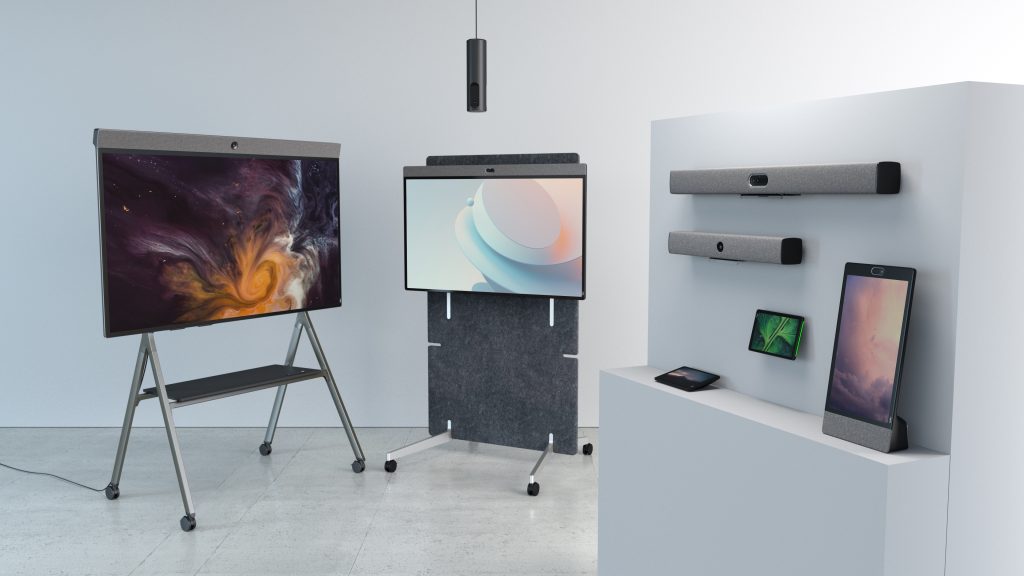
For meeting rooms of every size, Neat Bar Generation 2 combines an advanced camera, adaptive microphones, premium speakers, and intelligent processing into a single device that simplifies deployment while delivering an exceptional Zoom Rooms experience.
For more interactive collaboration, Neat Board 50 brings together video conferencing, wireless content sharing, digital whiteboarding, a multi-touch display, and an intelligent camera into one integrated solution, making brainstorming and hybrid workshops more engaging for both in-room and remote participants.
As workplace strategies evolve, Neat Open gives organisations the flexibility to support multiple collaboration platforms without being locked into a single ecosystem. This allows businesses to adapt as employee needs, customer preferences, and collaboration technologies continue to change.
Supporting every Neat device are Neat Experiences—a collection of intelligent technologies that continuously optimize framing, audio, video, and meeting equity automatically. Rather than asking users to adjust settings during every meeting, the technology works quietly in the background to help everyone feel seen, heard, and included.
By combining intuitive hardware with platform flexibility and AI-ready collaboration, Neat helps organisations create meeting spaces that are ready not only for today’s hybrid work, but for the workplace of tomorrow.
Perhaps it’s time to book a demo and experience them for yourself.
Frequently asked questions
What’s the difference between Zoom Workplace and Zoom Rooms?
Zoom Workplace is an AI-powered collaboration platform for individual users, while Zoom Rooms is designed for shared meeting spaces using dedicated room hardware. Most organisations use both together.
Do I need Zoom Rooms for every meeting room?
Not necessarily. Smaller organisations may begin with a few dedicated meeting rooms, while larger businesses often standardise Zoom Rooms across all collaboration spaces to provide a consistent employee experience.
Can I join a Zoom Room meeting from Zoom Workplace?
Yes. Employees using Zoom Workplace on their laptop, desktop, or mobile device can join meetings hosted in Zoom Rooms just as they would any other Zoom meeting.
Does Zoom Rooms require special hardware?
Yes. Zoom Rooms is designed to run on certified meeting room hardware that includes cameras, microphones, speakers, controllers, and displays to create a dedicated collaboration environment.
Is Zoom Rooms only for Zoom meetings?
While Zoom Rooms is optimised for Zoom, many organisations now choose meeting room solutions that can support multiple collaboration platforms, helping maximize flexibility in hybrid workplaces.
What’s the best hardware for Zoom Rooms?
The best solution depends on room size, collaboration style, and workplace strategy. Organisations should look for certified meeting room devices that deliver excellent audio, intelligent video, simple management, and support for evolving workplace technologies.
Can Zoom Rooms support AI-powered meetings?
Yes. Zoom Rooms supports AI-powered features such as meeting summaries, transcription, and intelligent collaboration experiences when used with compatible Zoom services and licensed features.
Sources
- Frequently Asked Questions About Zoom Workplace, Zoom Support, https://support.zoom.com/hc/en/article?id=zm_kb&sysparm_article=KB0059115
- Understanding Zoom Room Types and License Requirements, Zoom Support, https://support.zoom.com/hc/en/article?id=zm_kb&sysparm_article=KB0057894
- Zoom Spaces: Turning Physical Offices into Intelligent AI Ecosystems, Zoom News, https://news.zoom.com/zoom-spaces-turning-physical-offices-into-intelligent-ai-ecosystems/
- Global Workplace Survey, Gensler Research Institute, https://www.gensler.com/gri
- The Leesman Index, Leesman, https://www.leesmanindex.com





