


Video Conferencing Problems in Meeting Rooms: Common Issues and How to Fix Them in 2026
Hayley Spooner, Jul 16, 2026

Key takeaways
- Most video conferencing issues are caused by room setup, network performance, or collaboration technology—not the meeting platform itself.
- Meeting friction reduces productivity, disrupts collaboration, and undermines confidence in workplace technology.
- Many common audio and video issues can be prevented through better room design and integrated collaboration devices.
- AI-powered collaboration technology automatically improves audio, video, and meeting equity.
- Proactive device management helps identify and resolve issues before they affect meetings.
- The best meeting rooms are designed to be simple, intuitive, and reliable.
Video conferencing has become an essential part of everyday work. Whether employees are collaborating with colleagues across the office or connecting with customers around the world, meetings increasingly rely on technology working exactly as expected.
Unfortunately, many organizations still experience meeting rooms where calls start late, audio doesn’t work, cameras fail to capture everyone in the room, or participants struggle to share content. These interruptions may seem minor, but together they create meeting friction—small obstacles that slow meetings down, interrupt collaboration, and reduce productivity.
As hybrid work becomes the norm, expectations have changed. Employees no longer expect meeting room technology to work most of the time—they expect it to work every time. Research from Microsoft Research’s Future of Work studies highlights how AI and intelligent workplace technology are becoming increasingly important in supporting productive collaboration across distributed teams.
This guide explores the most common video conferencing problems affecting meeting rooms in 2026, explains why they occur, and outlines practical ways to create meeting spaces that are easier to use, more reliable, and better suited to hybrid work.
What causes video conferencing problems?
Most meeting room problems are caused by avoidable technology or room design issues—not by the video conferencing platform itself.
When a video meeting doesn’t go to plan, it’s easy to blame the software. In reality, platforms such as Microsoft Teams and Zoom are often only one part of a much larger collaboration environment.
Successful meetings rely on multiple systems working together, including cameras, microphones, speakers, displays, networks, room acoustics, and collaboration devices. A weakness in any one of these areas can affect the overall meeting experience.
Most problems fall into four categories:
| Category | Typical issues |
| Room technology | Camera, microphone or speaker problems |
| Network performance | Poor connectivity, lag or dropped calls |
| Room design | Camera angles, acoustics, lighting and furniture placement |
| User experience | Complicated controls, inconsistent room setups and meeting friction |
Looking at the meeting room as a complete environment—not just a collection of devices—helps organizations identify the root causes of recurring problems rather than simply treating the symptoms.
Common video conferencing problems and how to fix them
The best way to reduce meeting disruptions is to solve the underlying causes rather than repeatedly troubleshooting the same issues.
While every meeting room is different, most organizations encounter a similar set of challenges. Understanding why they happen makes them much easier to prevent.
Poor audio quality
Audio issues remain one of the biggest frustrations during hybrid meetings.
If participants can’t clearly hear one another, conversations quickly become repetitive and tiring. People interrupt each other more frequently, remote participants disengage, and valuable meeting time is lost.
Common causes include:
- Poor microphone placement
- Excessive background noise
- Rooms with hard, reflective surfaces
- Participants sitting too far from microphones
- Multiple audio devices connected simultaneously
Improving audio quality starts with the room itself. Soft furnishings, acoustic treatment, and thoughtful microphone placement can all make a noticeable difference. Increasingly, organizations are also adopting collaboration devices with AI-powered audio processing that automatically suppress background noise and enhance voices.
Clear audio is often more important than perfect video because conversations depend on everyone being heard naturally.
Echo and audio feedback
Hearing your own voice repeated a second later is one of the quickest ways to derail a meeting.
Echo typically occurs when microphones pick up sound from room speakers or when participants accidentally join the same meeting from multiple nearby devices.
Although modern collaboration platforms include echo cancellation technology, room design and equipment configuration still play an important role.
To reduce echo:
- Avoid joining meetings from multiple devices in the same room.
- Use integrated collaboration devices rather than separate speakers and microphones wherever possible.
- Position microphones away from speakers.
- Keep collaboration software and device firmware up to date.
- Minimize unnecessary audio equipment within the meeting room.
Integrated collaboration systems generally perform better because audio processing is designed to work as part of a single solution rather than across multiple independent devices.
Poor camera framing
Participants frequently complain that meeting room cameras don’t show everyone clearly.
Some people may be cropped out of the frame, while others appear too small or too far away for remote attendees to follow conversations naturally.
This often happens because:
- The camera is mounted too high or too low.
- The conference table is positioned too far from the camera.
- Participants are spread unevenly around the room.
- The room layout wasn’t designed for hybrid meetings.
Modern intelligent cameras automatically frame participants and adjust views as people enter, leave, or move around the room. These technologies help remote participants feel more connected while reducing the need for manual camera controls.
Good room design also matters. Appropriate table placement, comfortable seating distances, and unobstructed sightlines all contribute to better video experiences.
Remote participants can’t see everyone
One of the biggest challenges in hybrid meetings is ensuring remote attendees feel equally involved.
In many meeting rooms, people sitting closest to the display or camera dominate the conversation while colleagues at the far end of the table become difficult to see or hear.
This isn’t simply a technology problem—it’s a room design problem.
To improve visibility:
- Position seating so participants face the camera naturally.
- Avoid excessively long conference tables where possible.
- Ensure displays are visible from every seat.
- Use intelligent cameras that dynamically frame participants.
- Consider meeting equity when planning room layouts rather than focusing solely on seating capacity.
Meeting equity starts with room design just as much as it does with collaboration technology.
Video lag and poor call quality
Frozen video, delayed audio, and dropped calls are often blamed on the meeting platform, but network performance is usually the underlying cause.
Common contributors include:
- Limited internet bandwidth
- Congested Wi-Fi networks
- Poor quality of service (QoS) configuration
- Outdated networking equipment
- Multiple high-bandwidth applications competing for resources
Where possible, meeting rooms should use stable, enterprise-grade network connections and prioritize real-time collaboration traffic.
Regular network monitoring also helps IT teams identify bottlenecks before they affect users.
Content sharing doesn’t work
Sharing presentations or collaborating on documents should be one of the simplest parts of a meeting, yet it’s often where delays begin.
Employees may struggle with incompatible cables, unsupported devices, or confusing room controls. These small interruptions quickly add up, creating unnecessary meeting friction.
To improve content sharing:
- Use wireless sharing wherever possible.
- Standardize meeting room technology across the office.
- Keep room interfaces simple and intuitive.
- Ensure displays are clearly visible to both in-room and remote participants.
- Regularly test collaboration workflows after software updates.
The easier it is to share content, the faster meetings can move from setup to productive discussion.
Meetings take too long to start
Every minute spent troubleshooting technology is a minute not spent collaborating.
One of the clearest signs of meeting friction is when participants spend the first five or ten minutes trying to connect devices, find the correct controls, or troubleshoot room technology.
These delays often stem from:
- Inconsistent room setups
- Multiple remote controls
- Complex AV systems
- Confusing user interfaces
- Devices that haven’t been updated or maintained
Organizations can significantly reduce meeting friction by simplifying meeting room technology, standardizing room layouts, and using integrated collaboration devices that provide a consistent experience across every meeting space.
When employees know exactly how a room works before they walk in, meetings start faster, run more smoothly, and leave a more positive impression of the workplace technology.
Preventing meeting problems before they happen
The easiest meeting to troubleshoot is the one that never develops problems in the first place.
While IT teams inevitably spend time resolving technical issues, the most successful organizations focus on preventing those issues from occurring altogether.
A proactive approach combines reliable technology, thoughtful room design, regular maintenance, and consistent user experiences across every meeting space.
Here are some best practices.
Standardize meeting room technology
One of the biggest causes of meeting friction is inconsistency.
If every meeting room has different controls, hardware, or workflows, employees waste valuable time trying to understand how each room works.
Standardizing collaboration technology across meeting spaces creates familiarity, reduces training requirements, and improves confidence when using meeting rooms.
Keep devices updated
Collaboration platforms evolve rapidly.
Regular firmware updates, software patches, and security updates help maintain compatibility, improve reliability, and unlock new AI-powered collaboration features.
Scheduling updates outside working hours also minimizes disruption.
Monitor meeting room health
Rather than waiting for users to report issues, organizations increasingly monitor meeting room performance proactively.
Monitoring device status, software versions, connectivity, and room health allows IT teams to identify potential problems before they affect meetings.
Review room performance regularly
Meeting rooms should evolve alongside workplace needs.
Reviewing room utilization, meeting sizes, technology performance, and user feedback helps organizations identify opportunities to improve layouts, simplify workflows, or upgrade collaboration technology.
Designing meeting rooms that reduce meeting friction
The most effective meeting rooms remove barriers to collaboration before meetings even begin.
Employees expect meeting rooms to be intuitive. They shouldn’t need to remember complicated instructions, troubleshoot technology, or spend valuable meeting time connecting devices.
Reducing meeting friction starts with thoughtful room design rather than simply adding more technology.
Design for simplicity
Meeting rooms should be immediately understandable.
Participants should know where to sit, where to present, and how to join a meeting without needing technical assistance.
Simple layouts, consistent room standards, and intuitive collaboration devices all contribute to a better user experience.
Design for meeting equity
Hybrid meetings work best when everyone can contribute equally.
This means considering:
- Camera placement
- Microphone coverage
- Display positioning
- Sightlines
- Lighting
- Table placement
The physical layout should help remote participants feel like active contributors rather than passive observers.
Design for AI-ready collaboration
Meeting rooms increasingly support AI-powered capabilities such as meeting summaries, transcription, intelligent framing, and workflow automation.
These experiences rely on high-quality audio and video capture.
Rooms designed around clear sightlines, excellent acoustics, and integrated collaboration technology are better positioned to take advantage of future AI innovations.
Design for flexibility
Meeting rooms rarely serve a single purpose anymore.
The same room may host:
- Team meetings
- Customer presentations
- Workshops
- Brainstorming sessions
- Executive meetings
- Hybrid collaboration
Flexible furniture and integrated collaboration technology allow organizations to adapt spaces without redesigning them every few years.
Research from Steelcase Research continues to show that adaptable collaboration spaces play an increasingly important role in supporting hybrid work and improving employee experience.
Video conferencing trends shaping 2026
The future of meeting rooms is proactive rather than reactive.
Organizations are moving away from solving meeting problems after they occur and towards creating intelligent meeting environments that prevent issues automatically.
Several trends are shaping this evolution.
AI-powered meeting experiences
Artificial Intelligence is becoming embedded throughout the meeting lifecycle.
Meeting summaries, live transcription, speaker recognition, intelligent framing, workflow automation, and AI assistants are increasingly becoming standard expectations rather than premium features.
Intelligent cameras
Modern collaboration cameras continuously adapt to what’s happening in the room.
Rather than relying on fixed views, intelligent framing keeps participants naturally in view while helping remote attendees remain engaged throughout the conversation.
Adaptive audio
Advanced audio processing can now automatically reduce background noise, suppress distractions, balance voices, and improve clarity without requiring users to adjust settings manually.
Centralized device management
IT teams increasingly need visibility across hundreds or even thousands of collaboration devices.
Centralized management platforms help organizations deploy updates, monitor device health, and identify issues before they interrupt meetings.
Intelligent workplaces
Meeting rooms are becoming part of a broader intelligent workplace ecosystem where room technology, occupancy insights, workplace analytics, and AI all work together to improve employee experiences.
Research from Gensler Research Institute continues to highlight the growing importance of workplaces that support collaboration, flexibility, and employee performance.
Common troubleshooting mistakes
Adding more technology rarely solves collaboration problems—designing better meeting experiences does.
When organizations experience recurring meeting room issues, it’s tempting to purchase additional hardware or replace individual devices.
However, this often treats the symptoms rather than the underlying cause.
Some of the most common mistakes include:
- Restarting equipment without identifying the root cause
- Ignoring room acoustics
- Positioning cameras too far from participants
- Choosing furniture before planning collaboration technology
- Mixing multiple independent audio systems
- Delaying firmware and software updates
- Overcomplicating room controls
Taking a holistic approach to meeting room design usually delivers better long-term results than solving individual technical issues in isolation.
Where Neat fits in
The best meeting rooms shouldn’t require troubleshooting—they should simply work.
Every meeting room contains countless opportunities for friction. Complicated technology, inconsistent room layouts, disconnected hardware, and poor user experiences all contribute to meetings that start late and frustrate employees.
Neat’s approach is to remove that complexity.
Rather than treating cameras, microphones, speakers, displays, and software as separate components, Neat creates integrated meeting experiences designed to be intuitive for users and straightforward for IT teams to deploy and manage.
For small and medium meeting rooms, Neat Bar Generation 2 combines a 50 MP camera, adaptive audio processing, intelligent framing, dual-screen support, and streamlined deployment into a single collaboration device. By integrating multiple technologies into one solution, it helps reduce setup complexity while delivering consistently high-quality meeting experiences.
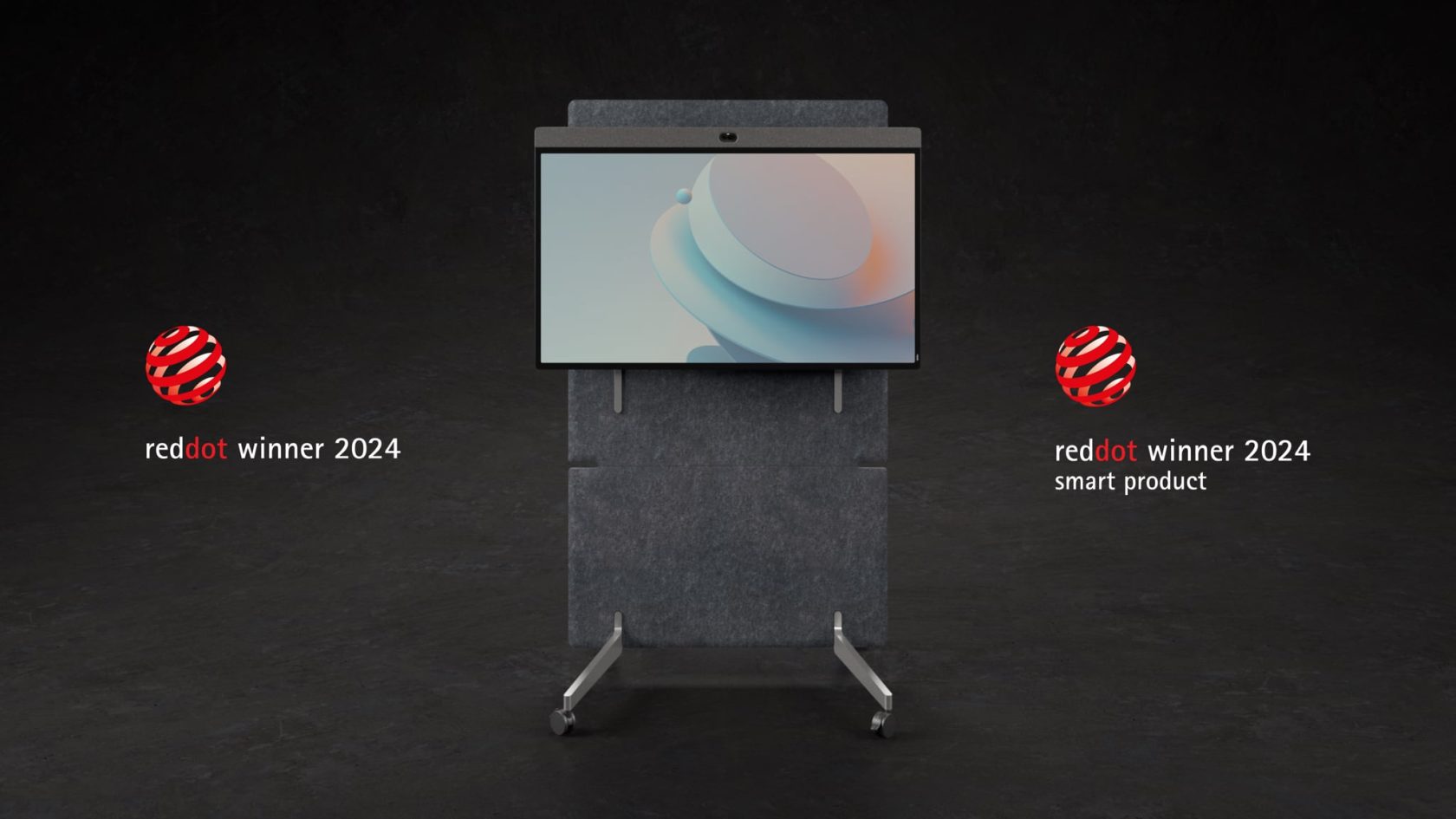
For larger collaboration spaces, Neat Board 50 combines video conferencing, wireless content sharing, digital whiteboarding, a multi-touch display, microphones, speakers, and an intelligent camera into a single all-in-one device. This integrated design simplifies room layouts while giving teams the flexibility to present, brainstorm, and collaborate naturally.
Keeping meeting rooms running smoothly is equally important. Neat Pulse provides centralized device management, allowing IT teams to monitor device health, deploy software updates, manage fleets remotely, and proactively identify potential issues before they affect users. Instead of waiting for meeting rooms to fail, organizations can take a preventative approach that minimizes disruption.
As workplace technology continues to evolve, Neat Open gives organizations the flexibility to adopt the collaboration platforms, applications, and AI experiences that best fit their business while maintaining a consistent user experience across meeting spaces.
Underlying every solution are Neat’s proprietary technologies including intelligent framing, adaptive audio, and meeting equity features that continuously optimize meetings in the background so people can focus on collaborating rather than operating technology.
By combining intelligent collaboration devices with proactive management and AI-ready experiences, Neat helps organizations reduce meeting friction, improve reliability, and create meeting rooms that simply work.
Perhaps it’s time to book a demo and experience them for yourself.
Frequently asked questions
Why does my meeting room audio echo?
Echo usually occurs when microphones pick up sound from nearby speakers or when multiple devices join the same meeting simultaneously. Using integrated collaboration devices, positioning microphones correctly, and avoiding duplicate audio sources can significantly reduce echo.
Why can’t remote participants hear everyone?
This often happens when microphones are too far from participants, room acoustics are poor, or seating layouts don’t support hybrid meetings. Intelligent audio processing and thoughtful room design help ensure every voice is captured clearly.
Why is my meeting room camera blurry or not showing everyone?
Camera positioning, room layout, lighting, and seating arrangements all affect video quality. Modern intelligent cameras that automatically frame participants can improve visibility while reducing the need for manual adjustments.
What causes video conferencing lag?
Video lag is typically caused by insufficient bandwidth, congested Wi-Fi, outdated networking equipment, or competing network traffic. Reliable enterprise-grade connectivity and proper network prioritization help maintain consistent call quality.
How can I reduce meeting friction?
Simplify the meeting experience by standardizing room technology, using integrated collaboration devices, keeping software up to date, providing intuitive room controls, and designing meeting spaces around both in-person and remote participants.
How often should meeting room devices be updated?
Organizations should apply firmware and software updates regularly to maintain compatibility, improve security, and benefit from the latest collaboration and AI features. Many businesses schedule updates outside working hours to minimize disruption.
What technology makes meeting rooms more reliable?
Integrated collaboration devices, intelligent cameras, adaptive audio processing, centralized device management, and proactive monitoring all help reduce technical issues while creating more consistent meeting experiences.
Sources
- New Future of Work: AI Is Driving Rapid Change, Microsoft Research, https://www.microsoft.com/en-us/research/blog/new-future-of-work-ai-is-driving-rapid-change-uneven-benefits/
- Hybrid Collaboration Research, Steelcase, https://www.steelcase.com/research/
- Workplace Research, Gensler Research Institute, https://www.gensler.com/gri
- Computer Workstation Ergonomics, Cornell University Ergonomics Web, https://ergo.human.cornell.edu/
- Workplace Experience Research, Leesman, https://www.leesman.com/insights/





