


Get Important Messages Out Fast with Neat Pulse Room Messages
Alice Moore, Oct 15, 2026
Put time-sensitive information straight in front of the right people. Neat Pulse Room Messages gives IT teams a direct line to any room across your Neat fleet.
In the first of a new series of blogs focused on Neat Pulse, we explore the features and capabilities that can make managing your deployment simpler and smarter. We’re starting with a small feature that can make a surprisingly big difference: Room Messages.
Sometimes, managing meeting spaces remotely means more than knowing what’s happening in them. You also need a simple way to communicate with the people using them.
With Room Messages, you can send an on-screen notice directly to Neat devices across your organization, whether you need to reach one room, a selected group, or your entire fleet. Messages even appear during calls, so IT can communicate directly with people without leaving their desk.
What you can do with Room Messages
Planned maintenance. About to reboot a device or take a room offline? Give people a heads-up before you do.
Room health alerts. If sensor data indicates that a room has become overcrowded, send a message advising occupants to move or open a window.
Emergency drills. Send an evacuation notice to multiple rooms simultaneously, directing people to the appropriate meeting point.
Reclaiming a room. If a meeting runs over and another group needs the space, send occupants a polite on-screen nudge.
How Room Messages work
Pick your rooms, write your message, choose how long it stays up.
Write up to 280 characters and keep your message on screen for 30 seconds to five minutes. People in the room see a live countdown and can dismiss the message early from a Neat Pad or Neat Board.
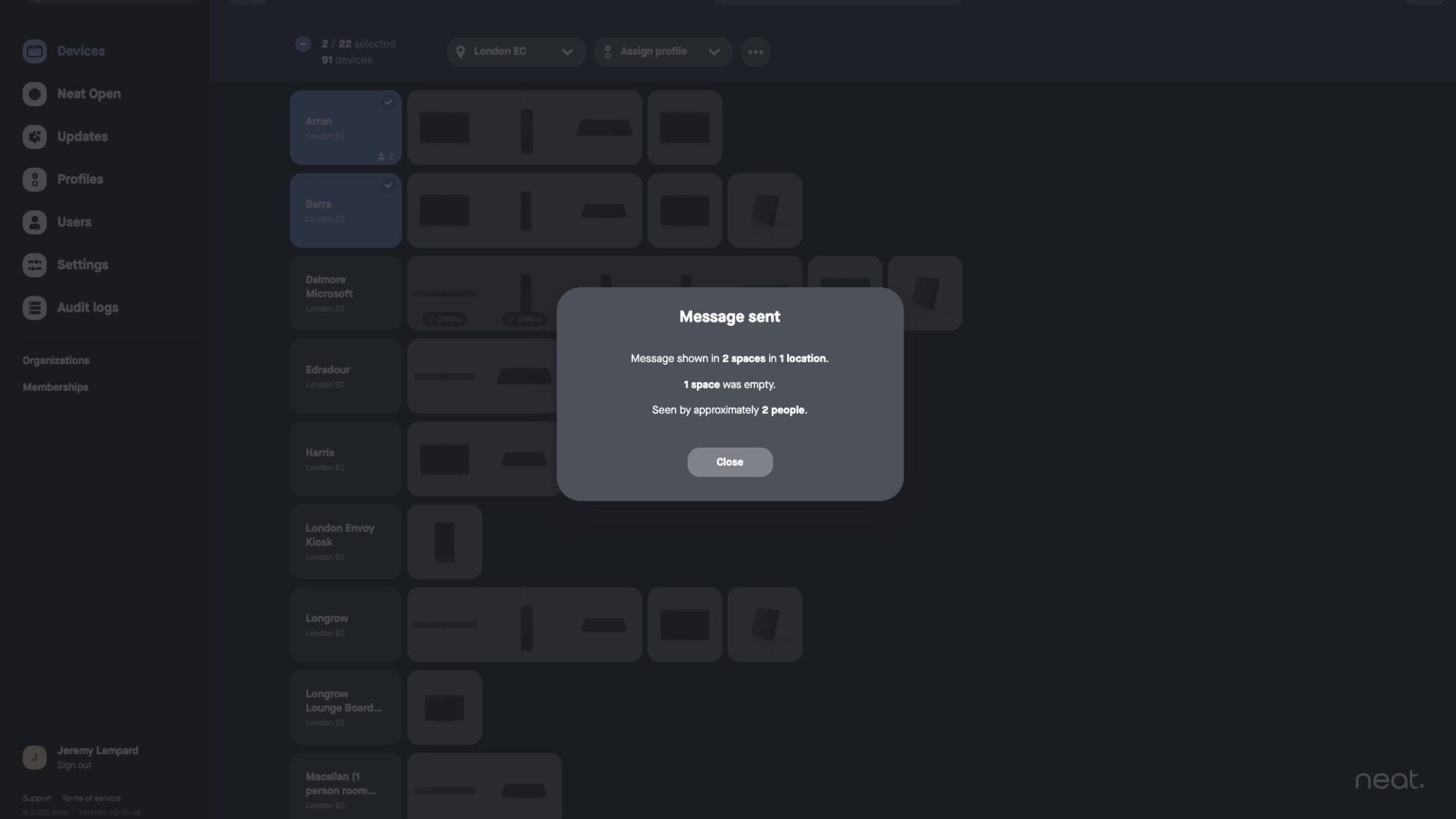
After you send the message, Neat Pulse confirms how many spaces and locations displayed it, how many selected rooms were empty, and approximately how many people saw it.
Neat Pulse also records every message in your Audit Logs, giving you a clear record of what you sent, where, and when.
Building Room Messages into your workflows
You can also access Room Messages through the Neat Pulse API and Neat Pulse MCP (beta), building messaging directly into automated workflows.
For example, an early-morning maintenance workflow could notify people that a device is about to reboot before automatically rebooting it.
Through the API, you can set the display duration to any number of seconds and receive the same delivery information you see in the Neat Pulse portal.
Room Messages are rolling out
Neat Pulse customers on paid plans will gain access to Room Messages gradually, and any user can send them. For more details on sending and managing messages, visit the Neat Pulse Room Messages support article.
Stay tuned for the next blog in our Neat Pulse series, where we’ll put another feature in the spotlight.
Until then, experience Neat for yourself—join a live product tour or book a one-on-one demo to see what Neat could do for your spaces.






