


Video Conferencing Screens: How to Choose the Right One in 2026
Hayley Spooner, Jun 22, 2026
Key takeaways
- The best screen for video conferencing depends on room size, viewing distance, and collaboration needs.
- In 2026, 4K displays are now considered the standard for enterprise meeting rooms.
- Most huddle rooms use 55–65-inch displays, while medium conference rooms increasingly use dual 65–85-inch screens.
- Dual-display setups improve hybrid collaboration by keeping participants and shared content visible simultaneously.
- Interactive displays are becoming more popular for brainstorming, workshops, and collaborative hybrid meetings.
- AI-powered meeting features like live captions, speaker tracking, and intelligent layouts are changing how organizations design conference rooms.
- Businesses should prioritize reliability, platform compatibility, wireless sharing, and ease of management when choosing conferencing displays.
Quick answer: What is the best screen for video conferencing?
The best screen for video conferencing depends on room size, collaboration style, viewing distance, and meeting platform requirements.
In most modern hybrid meeting environments:
- Small rooms typically use 55–65-inch 4K displays
- Medium conference rooms often use dual 65–75-inch displays
- Large boardrooms may require 85-inch or larger displays
- Interactive displays are increasingly common for collaborative spaces
- 4K resolution is now considered the standard minimum for enterprise meeting rooms
Organizations should prioritize:
- Visibility
- Brightness
- Platform compatibility
- Wireless collaboration
- Reliability
- Ease of management
- Hybrid meeting inclusivity
Why conferencing screens matter more in 2026
Conference room screens have become central to the hybrid workplace experience. In older meeting rooms, displays were primarily used for presentations. Today, they are expected to support dynamic collaboration between in-office and remote participants.
Employees now expect meetings to feel seamless regardless of where participants are located. That means displays need to support:
- Remote participant visibility
- Shared content
- Captions generated by Artificial Intelligence (AI)
- Digital whiteboarding
- Multi-camera meeting layouts
- Simultaneous presentation and participant viewing
At the same time, AI-powered meeting platforms are changing how displays are used entirely. Modern conferencing systems increasingly support:
- Live transcription
- Meeting summaries
- Intelligent framing
- Real-time translation
- Speaker tracking
- Interactive collaboration tools
As hybrid work becomes permanent, organizations are investing more heavily in displays that improve meeting equity and reduce friction during collaboration.
What screen size is best for video conferencing?
The ideal screen size depends primarily on room size and viewing distance.
A screen that is too small makes remote participants difficult to see. A screen that is too large can create uncomfortable viewing angles in smaller spaces.
Recommended screen sizes by room type
| Room type | Recommended screen size |
| Home office | 27–34 inches |
| Huddle room | 55–65 inches |
| Small meeting room | 65–75 inches |
| Medium conference room | 75–85 inches |
| Large boardroom | 85 inches+ |
| Training room | Multiple displays or Light Emitting Diode (LED) wall |
In 2026, many organizations are moving toward larger displays because hybrid meetings rely heavily on seeing remote participants clearly. The shift toward gallery views, AI-framed participant layouts, and dual-screen collaboration has increased demand for bigger, higher-resolution screens.
Should businesses use one screen or two?
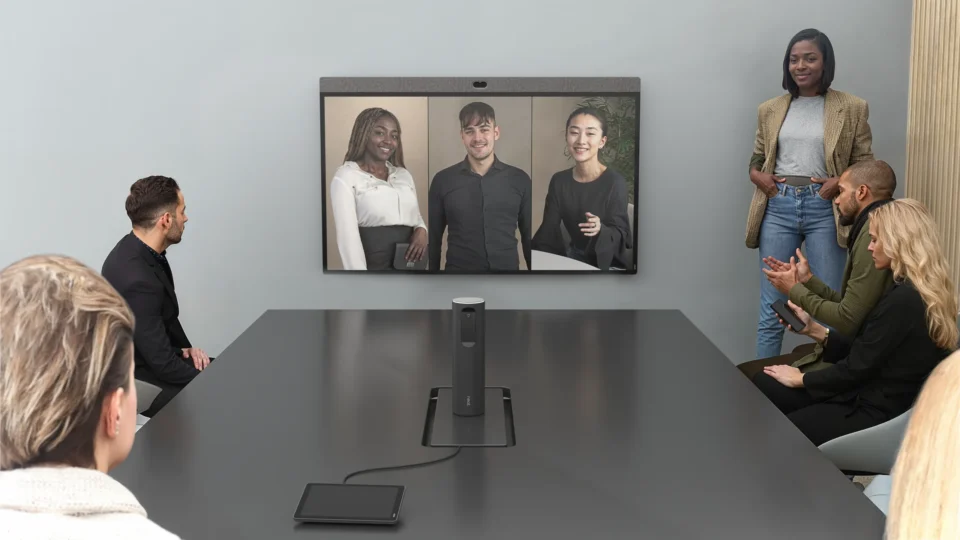
Dual-screen setups have become increasingly common in medium and large meeting rooms because they create a more natural hybrid meeting experience.
With a dual-display setup:
- One screen can show remote participants
- The other can show presentations or shared content
This prevents employees from constantly switching between people and content during meetings.
Single vs dual display setups
| Setup | Best for | Benefits |
| Single display | Small rooms and huddle spaces | Lower cost and simpler setup |
| Dual display | Medium and large conference rooms | Better hybrid collaboration |
| Interactive display | Collaborative workspaces | Whiteboarding and teamwork |
| LED wall | Executive and training spaces | Large-scale visibility |
Organizations increasingly prioritize meeting equity when designing hybrid spaces. Keeping participants visible alongside shared content helps remote employees feel more engaged in conversations.
Why 4K displays are now the standard
In 2026, 4K resolution has effectively become the standard for enterprise conferencing displays.
Higher-resolution screens improve:
- Text readability
- Participant visibility
- Shared content clarity
- Whiteboarding experiences
- AI-enhanced layouts
- Multi-window collaboration
This is especially important as conference rooms support more simultaneous visual elements, including:
- Participant galleries
- Shared documents
- AI-generated captions
- Presentation content
- Digital collaboration tools
While 1080p displays may still work in smaller environments, most organizations upgrading conference rooms today are standardizing around 4K to future-proof meeting spaces.
What type of display is best for video conferencing?
There is no single “best” display type for every environment. The right option depends on room purpose, lighting conditions, collaboration needs, and budget.
Common display types for hybrid meeting rooms
| Display type | Best for | Key advantage |
| LCD display | Most conference rooms | Cost-effective and reliable |
| LED display | Large spaces | Higher brightness and visibility |
| Interactive display | Collaboration rooms | Whiteboarding and annotation |
| MicroLED | Premium enterprise spaces | Exceptional image quality |
| Ultrawide display | Creative collaboration | Better multitasking layouts |
LCD displays remain the most common option for standard conference rooms because they offer strong image quality at lower costs.
However, larger organizations are increasingly investing in:
- Interactive collaboration displays
- LED walls
- MicroLED displays
- Multi-screen collaboration environments
This shift is being driven largely by hybrid collaboration and AI-powered meeting experiences.
Interactive displays vs traditional conferencing screens
Interactive displays are becoming increasingly popular in collaborative workplaces because they combine video conferencing, presentation sharing, and digital whiteboarding into a single device.
These displays allow teams to:
- Annotate documents
- Brainstorm visually
- Share content wirelessly
- Collaborate in real time
- Support remote whiteboarding
Interactive vs standard displays
| Standard displays | Interactive displays |
| Primarily for viewing content | Designed for active collaboration |
| Lower cost | Higher engagement |
| Easier deployment | More advanced features |
| Best for traditional meetings | Best for workshops and brainstorming |
| Limited touch functionality | Multi-user touch support |
Organizations redesigning offices around collaboration often prioritize interactive displays in flexible meeting spaces and innovation hubs.
How AI is changing conferencing displays
Artificial intelligence is rapidly reshaping conference room technology.
Modern conferencing systems increasingly use AI for:
- Intelligent camera framing
- Active speaker tracking
- Real-time captions
- Automated meeting summaries
- Multi-camera switching
- Occupancy analytics
This changes how displays are used during meetings. Screens are no longer just passive presentation tools. They are now part of intelligent collaboration systems designed to improve engagement and meeting equity.
Many modern meeting spaces also prioritize:
- Larger participant galleries
- Dynamic layouts
- Real-time AI content
- Accessibility features
- Hybrid collaboration experiences
As AI becomes more embedded into conferencing platforms, businesses are investing in higher-quality displays that can better support these evolving workflows.
Key features to look for in a conferencing screen
When choosing a conferencing display in 2026, organizations should prioritize usability and long-term flexibility rather than simply choosing the cheapest screen available.
Important conferencing display features
| Feature | Why it matters |
| 4K resolution | Improves clarity and readability |
| Anti-glare coating | Reduces reflections in bright rooms |
| High brightness | Improves visibility |
| USB-C connectivity | Simplifies device connections |
| Wireless sharing support | Reduces meeting friction |
| Interactive functionality | Supports collaboration |
| Platform compatibility | Ensures Teams and Zoom support |
| Remote device management | Simplifies IT operations |
Reliability and ease of use are increasingly important buying criteria because employees expect meetings to start instantly without troubleshooting display inputs or cables.
Common mistakes businesses make when choosing conferencing screens
Many organizations still approach conferencing displays as traditional office TVs rather than hybrid collaboration infrastructure.
Some of the most common mistakes include:
- Choosing screens that are too small
- Prioritizing price over usability
- Ignoring room lighting conditions
- Overlooking audio and camera integration
- Failing to standardize room experiences
- Buying consumer-grade displays for enterprise use
- Ignoring IT management capabilities
Businesses also frequently underestimate how much display quality affects remote meeting experiences. Poor visibility, awkward layouts, and unreadable shared content can reduce participation and collaboration quality significantly.
How conferencing displays are evolving in 2026
Several major trends are shaping conference room displays in 2026:
- AI-powered collaboration
- Interactive whiteboarding
- Larger displays
- Dual-screen environments
- Platform-agnostic meeting rooms
- Smart room analytics
- Wireless collaboration
- MicroLED adoption
- More immersive hybrid meetings
Organizations are also increasingly redesigning offices around flexible collaboration spaces rather than traditional conference rooms. This is driving demand for displays that support multiple room configurations and meeting styles.
Video conferencing screen checklist
Organizations choosing conferencing displays should evaluate:
- Room size
- Viewing distance
- Hybrid meeting frequency
- Collaboration requirements
- Interactive functionality
- Platform compatibility
- Brightness requirements
- IT management capabilities
- Wireless sharing support
- Long-term scalability
The best conferencing displays are the ones that make meetings feel natural, inclusive, and easy to manage.
Where Neat fits in
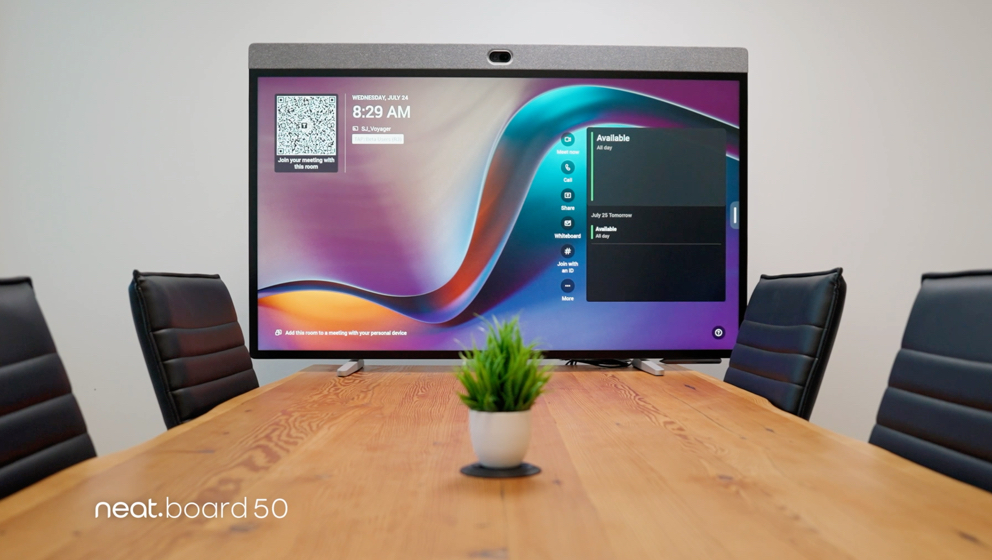
Neat helps organizations create better hybrid meeting experiences through simple, appliance-based collaboration systems designed for modern meeting spaces. As businesses redesign conference rooms around hybrid work, many organizations are standardizing room technology to improve consistency, simplify deployment, and reduce meeting friction.
Neat devices are designed to work alongside modern conferencing displays in Zoom and Microsoft Teams environments, helping create streamlined meeting experiences across huddle rooms, small and medium conference rooms, executive spaces, and flexible collaboration environments. Because Neat systems combine cameras, microphones, speakers, and compute into integrated devices, organizations can simplify conference room design while supporting high-quality hybrid collaboration.
As conferencing displays become more intelligent, interactive, and AI-driven, businesses are increasingly prioritizing meeting room solutions that reduce complexity while improving usability and collaboration quality. Choosing the right screen is no longer just a hardware decision—it is a key part of creating meeting spaces that support hybrid collaboration, meeting equity, and long-term flexibility.
The best conferencing environments combine high-quality displays with technology that makes meetings feel natural, inclusive, and easy to manage. Organizations that view conferencing displays as part of a broader collaboration strategy—not standalone screens—are better positioned to support AI-powered meetings, flexible room designs, and scalable workplace experiences for years to come.
Perhaps it’s time to book a demo and experience them for yourself.
Frequently asked questions
What size TV is best for video conferencing?
For most conference rooms, 65–85-inch 4K displays are ideal depending on room size and viewing distance.
Is 4K necessary for conference room displays?
In 2026, 4K is effectively the standard for enterprise conferencing because it improves participant visibility, content clarity, and hybrid collaboration experiences.
Are interactive displays worth it?
Interactive displays are especially valuable for brainstorming, workshops, training sessions, and collaborative hybrid meetings.
Should conference rooms use TVs or commercial displays?
Commercial displays are usually better for enterprise meeting rooms because they offer longer lifecycles, better brightness, stronger reliability, and centralized management features.
What matters more: the camera or the display?
Both matter, but poor display visibility can negatively affect every participant in the room. In hybrid meetings, displays directly affect collaboration quality and meeting equity.
Sources
- StackedAV — Meeting Room AV Trends for 2026
https://www.stackedav.ie/meeting-room-av-trends-for-2026-what-smart-businesses-are-investing-in/ - DeskFlex — Best Conference Room Technologies for Hybrid Workplaces in 2026
https://www.deskflex.com/blog/best-conference-room-technology - AVNetwork — Trends 2026: Pro AV Hangs Tough
https://www.avnetwork.com/news/trends-2026-pro-av-hangs-tough - Parmetech — Interactive Displays for Business in 2026
https://www.parmetech.com/how-interactive-displays-for-business-can-transform-team-collaboration-in-2026/ - Intel Market Research — Meeting Room Display Solution Market Outlook 2026–2034
https://www.intelmarketresearch.com/meeting-room-display-solution-market-41604





